
The Triggers page (formerly Settings)
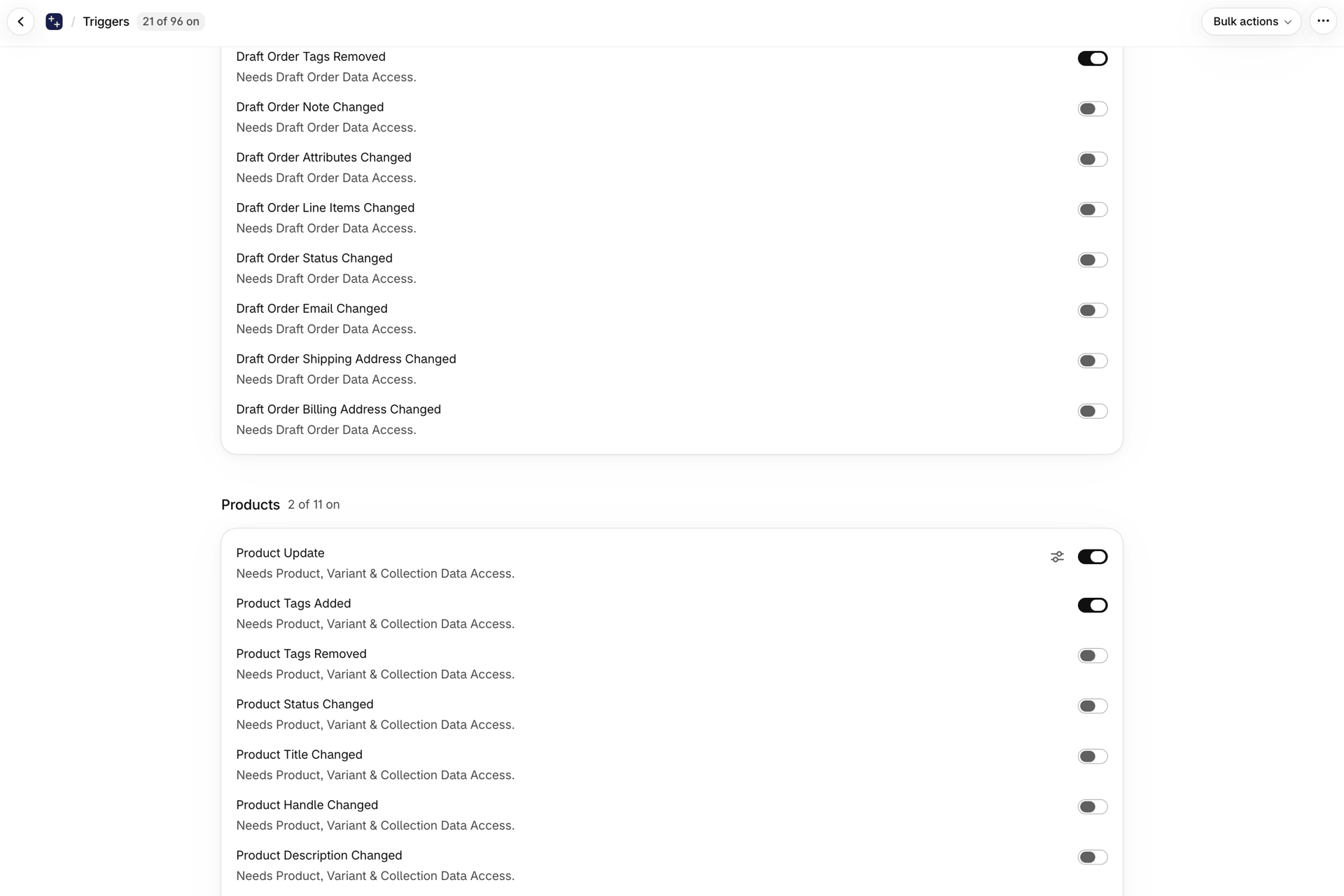
The nine-tab Settings page is now a single Triggers page where every trigger has its own on/off switch. What moved where, and what is new.
Why it changed
The old page had two different kinds of switch that behaved in opposite ways, and which one you were looking at depended on which tab you were in.
Most triggers were opt-in: off until you turned them on. But the broad ... Update triggers were opt-out: on by default, with the first tab offering suppressors to turn them off. So "the switch is off" meant "this trigger will not fire" on eight tabs and "this trigger will fire" on the first one.
On top of that, a trigger's switch lived in whichever tab we had filed it under, which is not always where you would look for it. There was no search.
Now there is one rule: a trigger fires while its switch is on. That is true for all of them.
Before and now
| Before | Now | |
|---|---|---|
| Where | Settings, nine tabs | Triggers, one page |
| Finding a trigger | Guess the tab | Search by name |
| What a switch means | Opt-in on eight tabs, suppressor on the first | Always: on = fires |
| A suppressed trigger | Suppressor switched on | Trigger switched off |
| Coverage | Only triggers we had built a tab row for | All 98 triggers |
| Turning several on | One at a time | Bulk enable or disable, with a confirmation |
| Missing permission | Discover it later, when nothing fires | Flagged on the row, granted in place |
| Custom triggers | Separate page | Same page, at the top |
Where the tabs went
Everything is on the one page now, grouped by resource. The old tab names map to the group headings:
| Old tab | Now |
|---|---|
| Trigger Settings (suppressors) | The broad ... Update trigger inside each resource group, shown as a normal on/off switch |
| Order Triggers | Orders |
| Draft Order Triggers | Orders (draft order entries) |
| Product Triggers | Products |
| Product Variants | Product variants |
| Customer Triggers | Customers |
| Collection Triggers | Collections |
| Polling Triggers | Filed under the resource they poll - blogs and pages under Content, discount expiry under Discounts |
| Markets | Markets |
| Inventory Triggers | Inventory |
Metafield and metaobject triggers still have their own pages, because you choose which definitions to watch rather than flipping a single switch.
What is new
Search. Type part of a trigger name to find it across every resource at once, rather than opening tabs until you spot it.
Every trigger is switchable. Previously a trigger only had a switch if we had built a row for it. Now all 98 do, through the same control - and the same control the API and MCP use, so what you see here is what an API caller sees.
Bulk enable and disable. Applies to your search results when you are searching, or to everything when you are not. Both directions ask for confirmation first: enabling many triggers can raise your monthly usage, and disabling them stops live workflows.
Permissions are granted where you hit them. Switching on a trigger that needs a permission you have not granted asks for it right there. If a trigger needs two - Order Shipping Address Changed needs both order and customer access - you get a single dialog covering both, not one after another.
If you decline, the trigger stays on and is flagged as needing a permission, rather than silently switching itself back off.
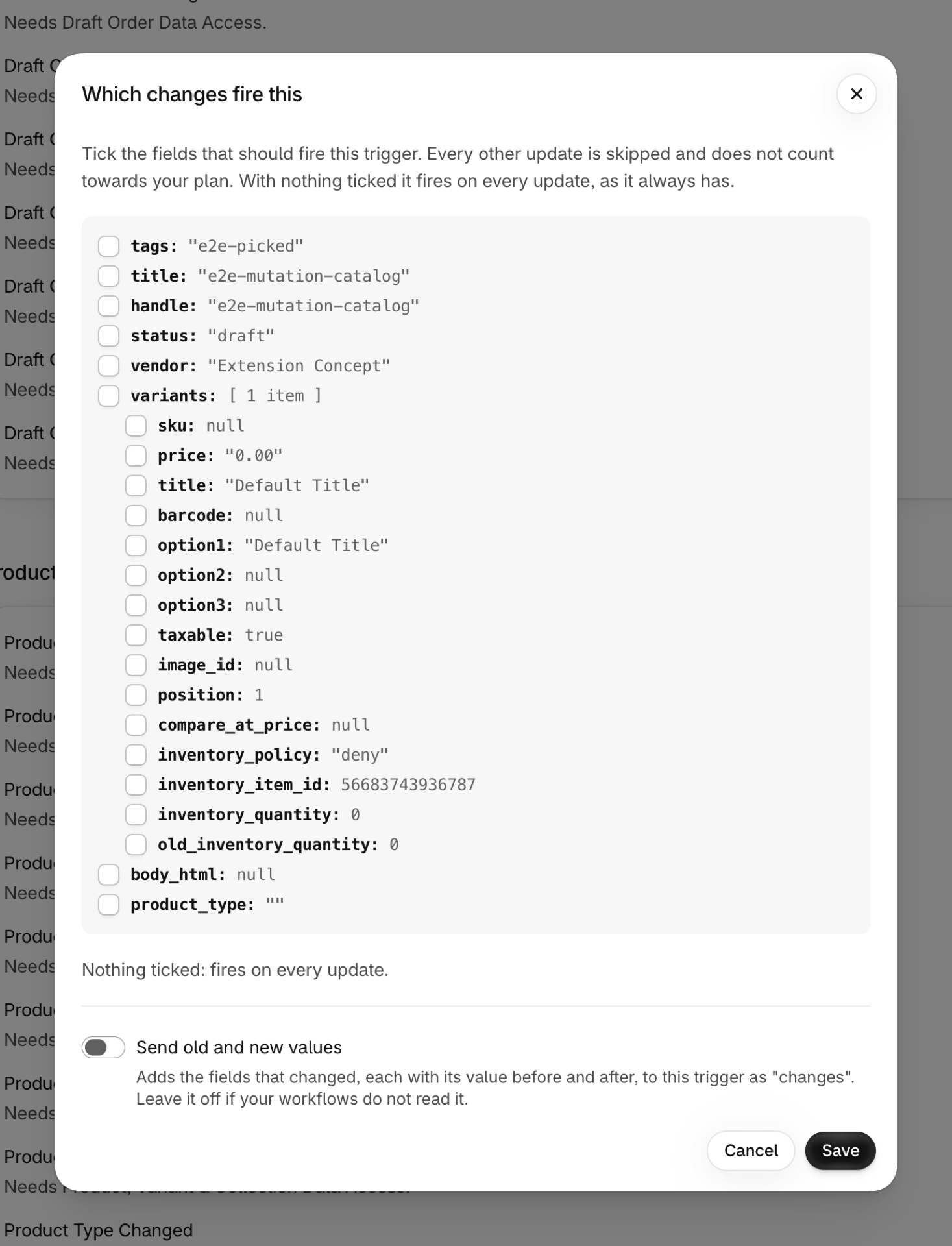
Storefront and Checkout groups. The triggers fed by the app's web pixel sit under Storefront and Checkout, and all of them start off. The two visit triggers carry a settings icon next to their switch where you set the visit window. Enable all includes these groups, so on a busy store search first and bulk-enable only the triggers a workflow uses. See Storefront triggers.
Permissions stayed on their own page
Permissions is still a separate page in the navigation, and deliberately so. Several permissions cover personal data - customer records, order shipping addresses, B2B company contacts - and that deserves somewhere you can read what each one covers, not a footnote under a list of switches.
It is also where you revoke. A permission covers many triggers at once, so withdrawing one is a wider action than any single switch on the Triggers page.
Use whichever fits: grant in passing from a trigger row when you just want that trigger working, or review the whole picture on the Permissions page.
The baseline sync
Unchanged. Switching on a change-detection trigger queues a baseline sync, so there is something to compare against when the next change arrives. Without it the first change after enabling would be silently swallowed.
Expect seconds on a small store, and up to roughly 20 minutes for a catalog above 100,000 items. The page refreshes on its own while it runs.
If the permission has not been granted yet, the sync is deferred rather than failed - grant the permission and it starts by itself.
You rarely need to do any of this by hand. Turning on a Shopify Flow workflow that uses a trigger switches the trigger on and starts its sync automatically.
Manual re-sync
The Data sync section at the bottom of the Triggers page has a re-sync button per resource. Use it if you suspect the baseline has drifted - after a long period with the permission revoked, or after a large import performed while the trigger was off.
If a sync failed, that section says so and why. Nothing else in the app surfaces a dead backfill, and a dead backfill means triggers will not fire for records that already existed.