
Tag products when a variant price drops by 10 percent or more
Auto-tag products price-drop when a variant price falls 10% or more, using a ready-made Shopify Flow trigger.
When a variant's price falls by 10 percent or more, add the tag price-drop to its product. The trigger carries the old price, the new price and the percentage, so no calculation is needed. Use the tag in an automated sale collection.
One trigger, built-in Shopify actions only, no other app needed. Nothing in it is specific to a store, so it works as soon as it is imported.
What it needs
- The app's permission Product, Variant & Collection Data Access. See Permissions and data access.
- Nothing else: turning the workflow on switches the trigger Product Variant Price Changed on in the app.
Install the Workflow Trigger Extensions app and grant Product, Variant & Collection Data Access on its Permissions page. Turning this workflow on switches the trigger on in the app.
Get the workflow
- Download the
.flowfile attached at the bottom of this page. - In your Shopify admin open Flow, click Import and choose the file.
- Check the steps, then click Turn on workflow.
The file is an export from Shopify Flow itself. Do not edit it by hand; change the workflow in Flow after importing it.
How it works
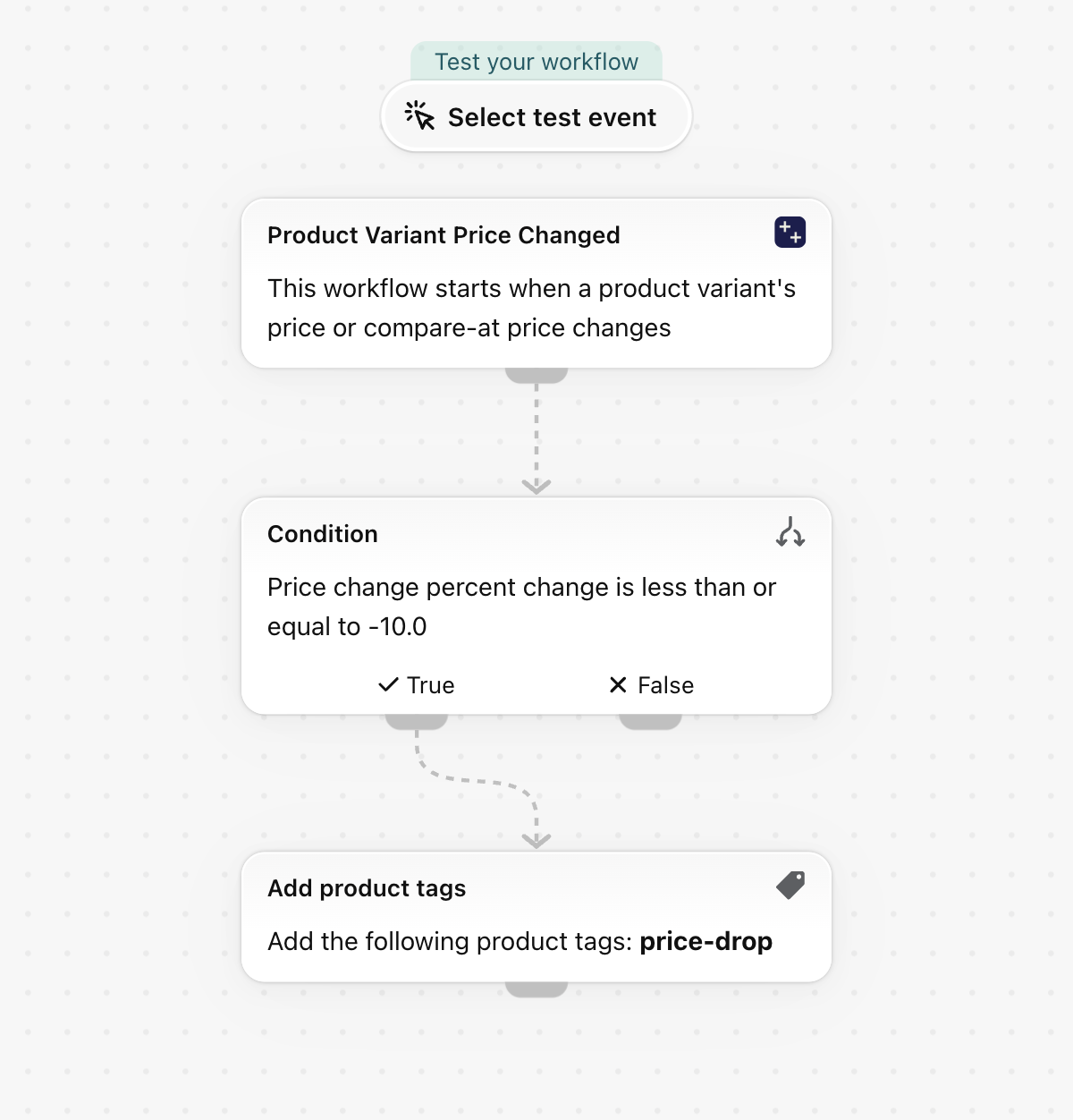
- Product Variant Price Changed fires once per variant whose price changed and carries
priceChangewith the old price, the new price,delta,percentChangeanddirection. - The Condition lets the workflow continue when
priceChange.percentChangeis Less than or equal to-10. - Add product tags puts
price-dropon the variant's product (productVariant.product.id).
Make it yours
- Build an automated collection on the tag
price-dropand your sale page fills itself. - Change
-10to your own threshold, or add a second branch for increases withdirectionEqual toincrease. - The tag stays until something removes it. Remove it by hand when the sale ends, or with a second workflow on the same trigger and
directionEqual toincrease.
Next steps
- Product variant triggers, step by step - every field this trigger sends, with more examples.
- Workflow templates - all templates.
- Event history and troubleshooting - check that the trigger fired.