
Trigger events on a record's admin page
See Shopify Flow trigger events for one product, order, customer or company right on its admin page, with old -> new values shown.
When a workflow did something to an order, the question is usually about that order: did the trigger fire, when, and what changed? Until now the answer was in Event History, filtered by hand. The Flow trigger events block puts it on the record's own page in the Shopify admin.
It lists the latest trigger events about the record you are looking at, newest first. Each one shows the trigger, whether it reached Shopify Flow, how long ago, and a short old -> new line where the trigger carries one, such as price: 100.00 -> 85.00 or tags added: vip.
Where it is available
- Products and product variants
- Orders and draft orders
- Customers
- Collections
- Companies and company locations
Add the block
- Open a record of that type in your Shopify admin - any product, for example.
- Scroll to the Blocks area of the page and choose to add a block. On some pages this is under the page's customise option.
- Pick Flow trigger events from Workflow Trigger Extensions.
- Pin it if you want it to stay on the page for all staff.
You add it once per page type. It then appears on every product, every order, and so on.
An example on each page
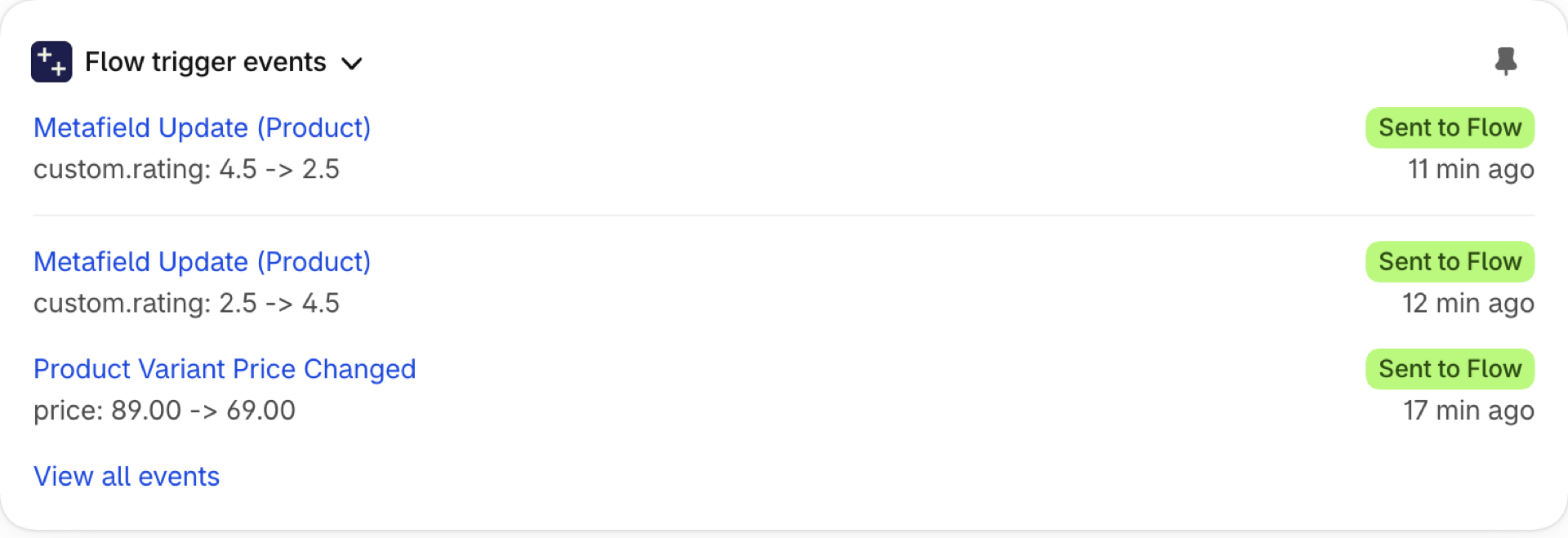
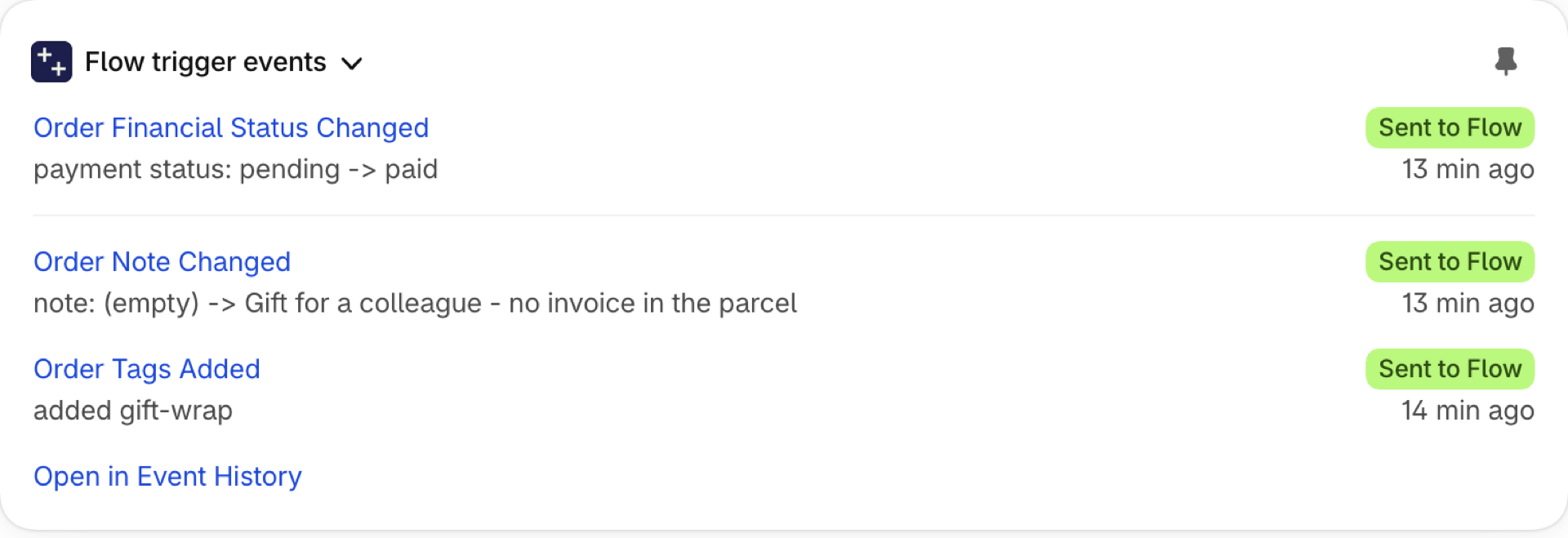
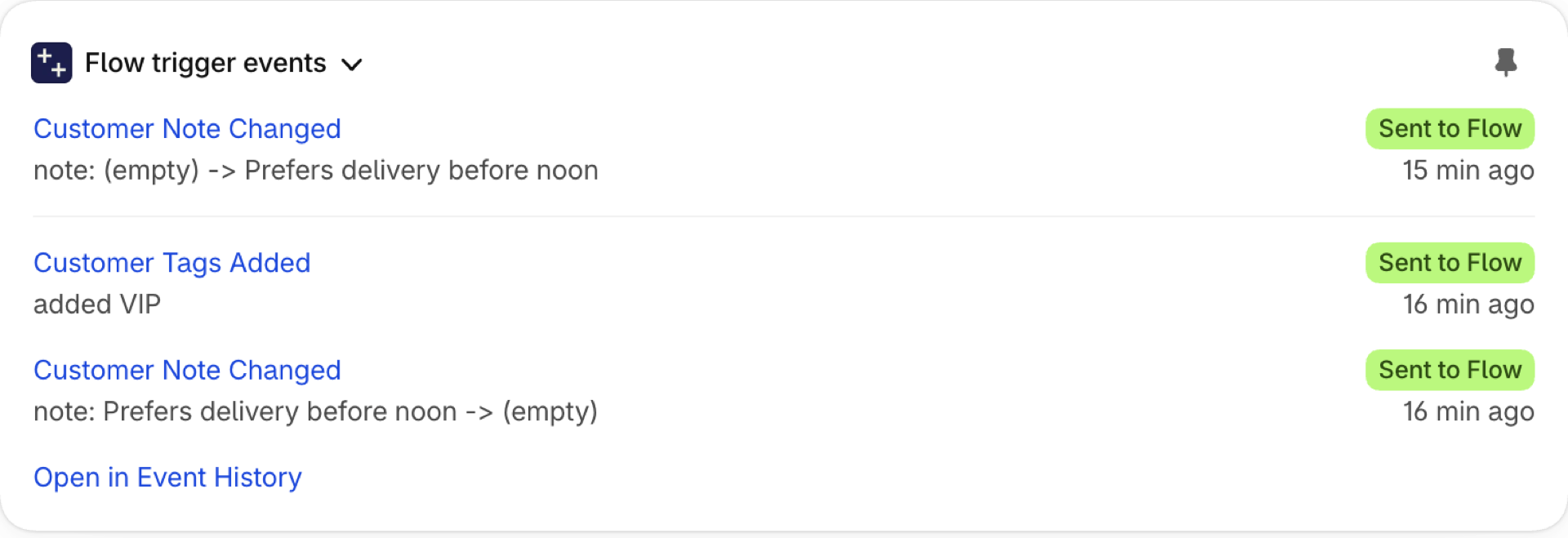
The same block, on three different records of one store. Each row is one event the app sent to Shopify Flow: the trigger that fired, what changed from which value to which, whether Flow accepted it, and when. The trigger name opens that event in the app.
On a product page
A product that was marked down and tagged for a sale. The price change shows the old and the new price, and the tag shows up twice: once as its own trigger, Product Tags Added, and once inside Product Update, which reports every tracked change of a save.
On an order page
An order that was paid a while after it was placed, and got a note. Order Financial Status Changed carries the status it came from, which is what lets a workflow react to exactly this transition. The note change appears under Order Update with the text before and after.
On a customer page
A customer who was tagged VIP and got a note from support. Personal data never appears here: tags, notes and states are shown with their values, while the triggers that read a name, an email address, a phone number or an address only show that they fired, never the value.
What appears in it
- Every specific change trigger that fired for the record: tags added, status changed, price changed, a metafield updated, and so on.
- Product Update, Order Update, Customer Update and Draft Order Update when the update changed one of the fields the app tracks. An update that changed nothing tracked - an inventory adjustment on a product, say - is not listed, otherwise a busy record would be nothing but noise.
- A variant or inventory event is listed on the variant and on its product.
What does not appear: storefront events such as product views, and events from your own Custom triggers. Neither is about one record in a way the block could show usefully.
Triggers that handle personal data are listed without their values. Customer Email Changed appears as an event, but the block never prints the old or the new address.
From the block into the app
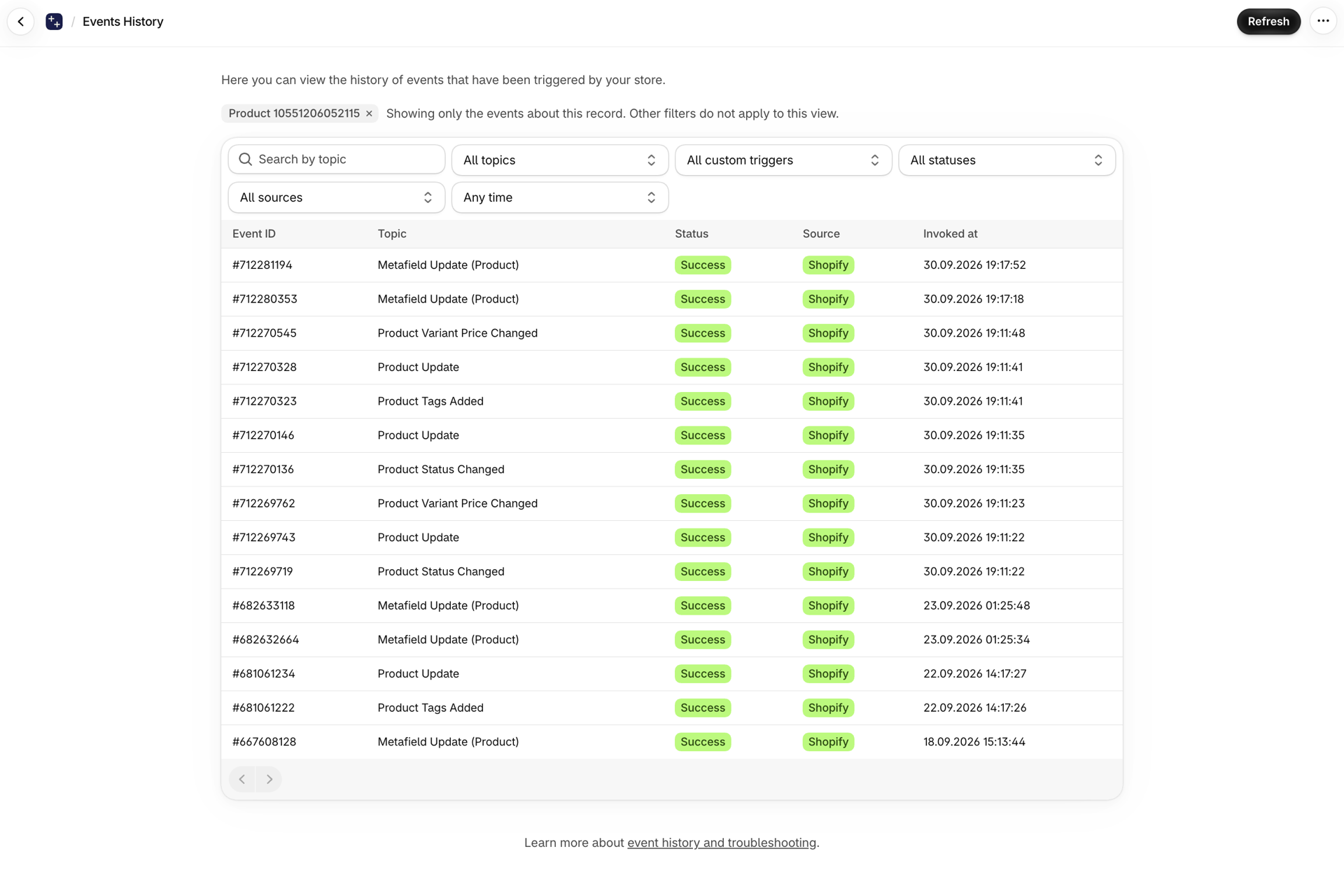
- Click an event to open it in Event History, with everything that was sent to Flow.
- Open in Event History at the bottom shows every event for that one record. Filters do not apply to that view - it is already narrowed to the record.
If the block is empty
- No trigger has fired for this record yet. Make a change that one of your enabled triggers watches and reload the page.
- The matching trigger is switched off. See The Triggers page (formerly Settings).
- The permission for that data is not granted. A trigger that is on but lacks its permission cannot fire. See Permissions and data access.
- The change was before the update. See the note above.
Next steps
- Event history and troubleshooting - the full history, with filters.
- Complete trigger reference - which triggers carry an old and a new value.
- How triggers work - why a trigger needs a baseline before it can fire.