

Metafield triggers
Metafield triggers fire when a specific metafield definition changes, on any of 10 owner types. You choose which metafields to watch, one definition at a time, so a store with hundreds of metafields only ever fires for the ones a workflow cares about.
Supported owner types
Product, Product Variant, Collection, Customer, Order, Company, Company Location, Blog, Blog Post, and Page.
Setting one up
The example on this page watches a product metafield called Rating (custom.rating),
the kind of value a reviews app writes.
1. Pick the metafield
- Open Metafield Triggers in the app navigation.
- Click Add Trigger.
- Choose the resource type the metafield belongs to, for example Product.
- Pick the metafield definition from the list - search by name if there are many - and click Add Trigger.
Only metafields with a definition are listed (Shopify admin, Settings, Custom data). The list is remembered for an hour, so a definition you created a moment ago may be missing: click Refresh Metafields next to Add Trigger and open the dialog again.
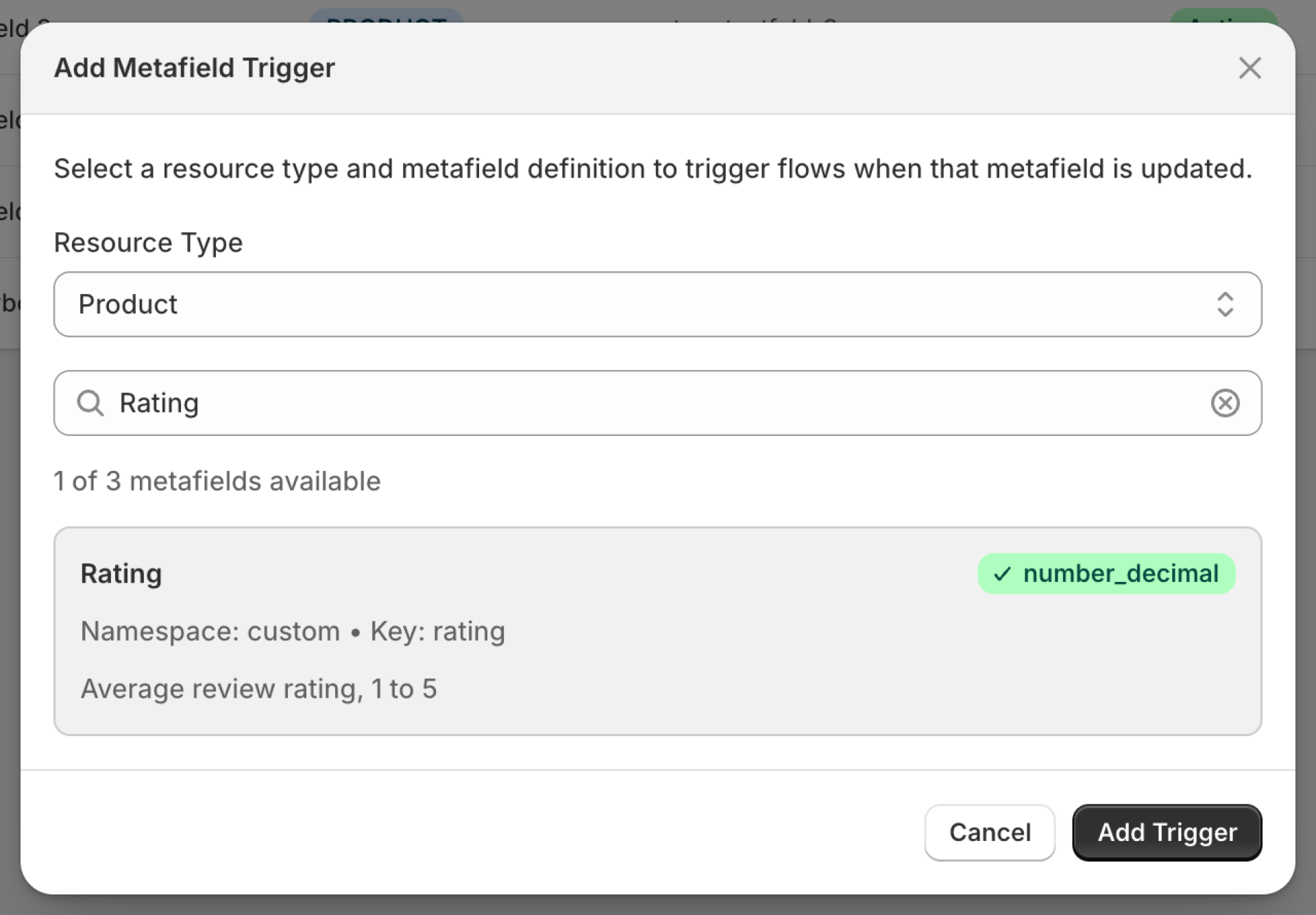
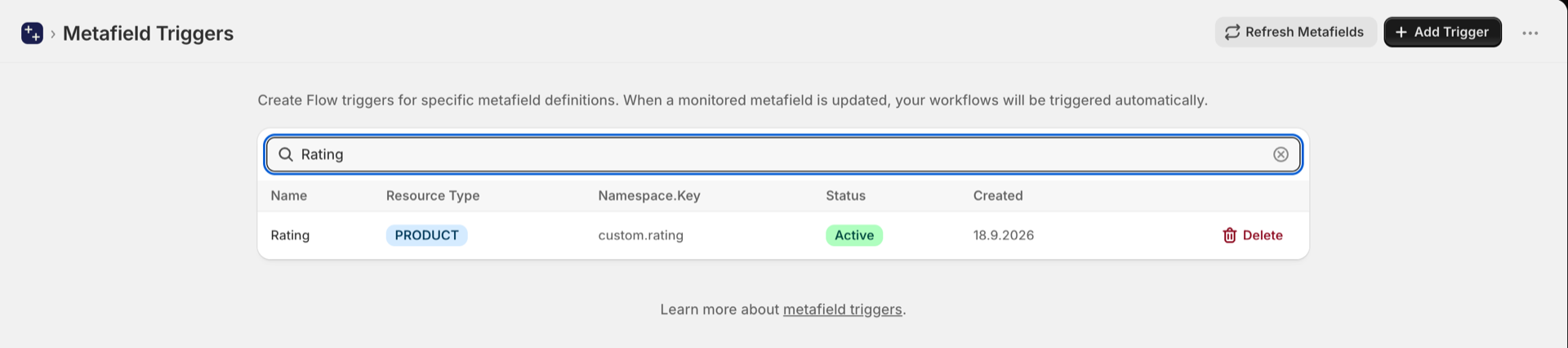
2. The metafield is now watched
The metafield appears in the list as Active. There is nothing else to switch on: adding it here is switching it on. Delete stops watching it.
The app first records the current value of that metafield on your existing records, so the very first edit already fires with the right old value.
3. What an event carries
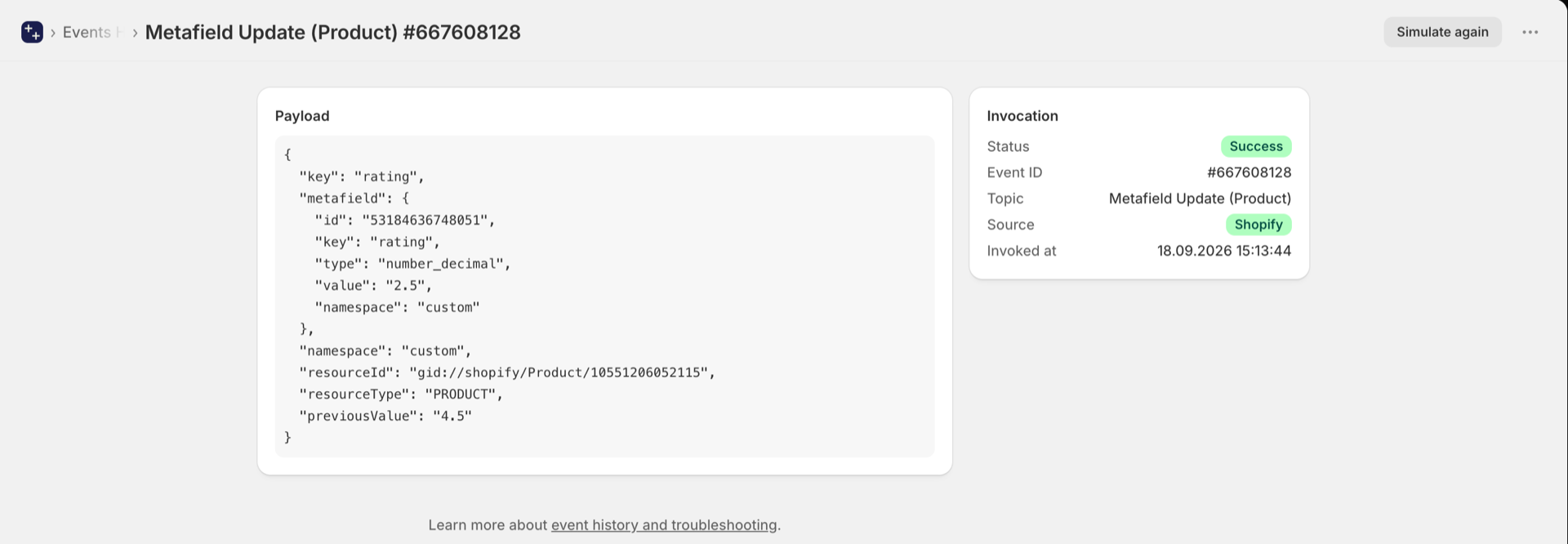
From then on, every edit to that metafield fires Metafield Update in Shopify Flow. The
event carries the namespace and key, the record it belongs to, the new value, and
previousValue - what the metafield said before. previousValue is empty when the
metafield was just set for the first time.
In the example the rating went from 4.5 to 2.5. A workflow condition "value is less than 3 and previousValue is 3 or more" fires once, at the moment the rating drops below 3, instead of on every later edit. Step by step: Metafield triggers, step by step.
The generic trigger and the typed ones
There are two ways to consume metafield changes:
| Trigger | Covers | Delivers |
|---|---|---|
| Metafield Update | All 10 owner types | Namespace, key, owner id, old and new value |
| Order Metafield Update | Orders only | The same, plus the order as a native Flow reference |
| Product Metafield Update | Products only | The same, plus the product as a native reference |
| Customer Metafield Update | Customers only | The same, plus the customer as a native reference |
| Product Variant Metafield Update | Product variants only | The same, plus the parent product as a native reference |
Use a typed trigger when your workflow needs to act on the resource itself, for example to tag the order or read its line items. The native reference means Flow can use its own Shopify actions on it directly, with no lookup step.
Use the generic trigger when you just need to know a value changed, or when you are watching an owner type that has no typed variant.
The typed triggers each have their own switch on the Triggers page (turning on a Flow workflow that uses one switches it on) and fire in addition to the generic trigger. They share one event, so enabling both does not double-count against your quota.
Guides
- Trigger Shopify Flow on order metafield updates
- Trigger Shopify Flow on product metafield changes
- Trigger Shopify Flow on customer metafield updates
- Metafield triggers, step by step - a worked example for each of the five metafield triggers.