
Tag products when a variant sells out at a location
Auto-tag products sold out at one location using Shopify Flow, since Shopify's inventory triggers do not report location.
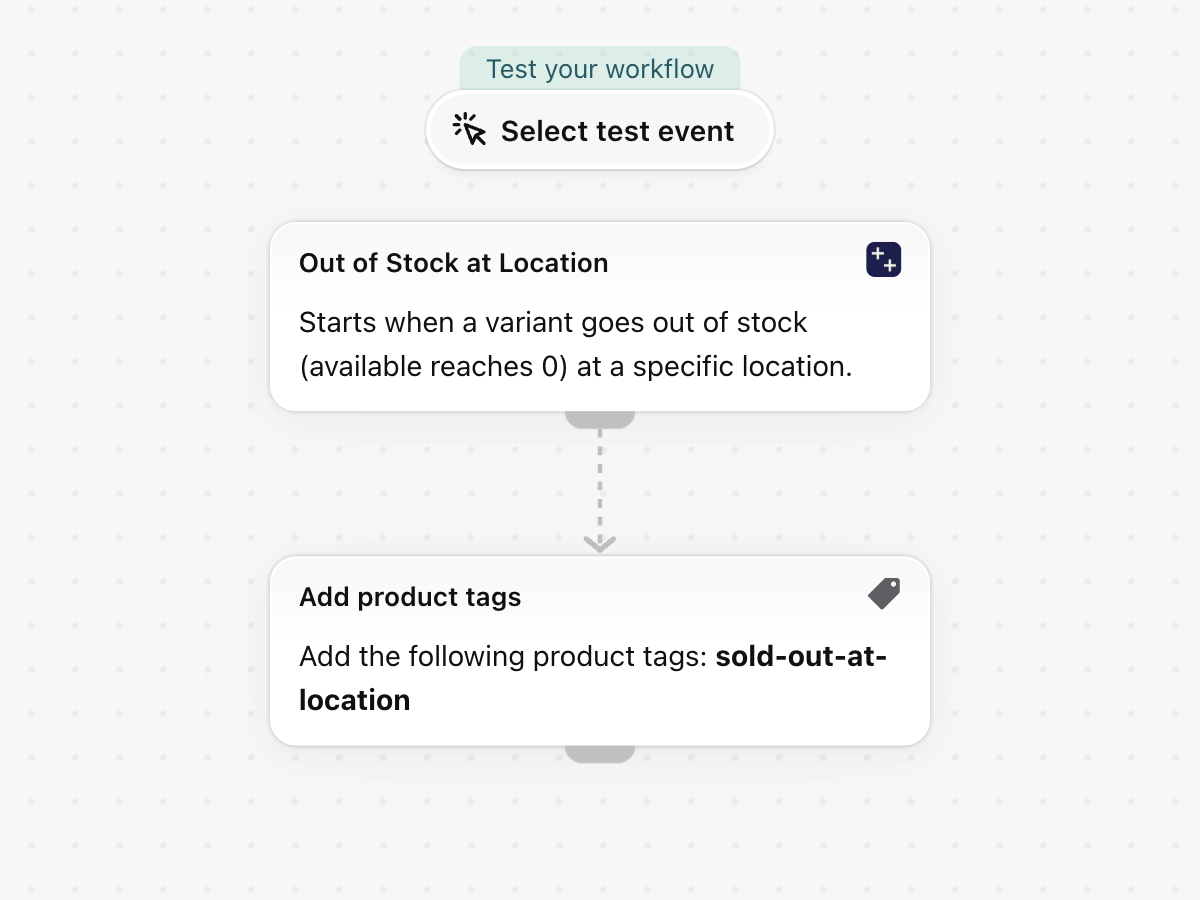
When a variant's available quantity reaches zero at one of your locations, add the tag sold-out-at-location to its product. Shopify's own inventory triggers carry no location; this one does.
One trigger, built-in Shopify actions only, no other app needed. Nothing in it is specific to a store, so it works as soon as it is imported.
What it needs
- The app's permission Inventory Data Access + Product, Variant & Collection Data Access. See Permissions and data access.
- Nothing else: turning the workflow on switches the trigger Out of Stock at Location on in the app.
Install the Workflow Trigger Extensions app and grant Inventory Data Access and Product, Variant & Collection Data Access on its Permissions page. Turning this workflow on switches the trigger on in the app.
Get the workflow
- Download the
.flowfile attached at the bottom of this page. - In your Shopify admin open Flow, click Import and choose the file.
- Check the steps, then click Turn on workflow.
The file is an export from Shopify Flow itself. Do not edit it by hand; change the workflow in Flow after importing it.
How it works
- Out of Stock at Location fires when a variant's available quantity reaches zero at one location, and names the location.
- Add product tags puts
sold-out-at-locationon the product.
Make it yours
- Add a condition on
inventoryLevel.locationNameto watch a single store or warehouse. - Pair it with the template that removes the tag when stock returns.
Next steps
- Inventory triggers, step by step - every field this trigger sends, with more examples.
- Workflow templates - all templates.
- Event history and troubleshooting - check that the trigger fired.