
Tag customers when they unsubscribe from email marketing
Auto-tag customers email-unsubscribed when email marketing consent changes in Shopify Flow, so segments stay in sync.
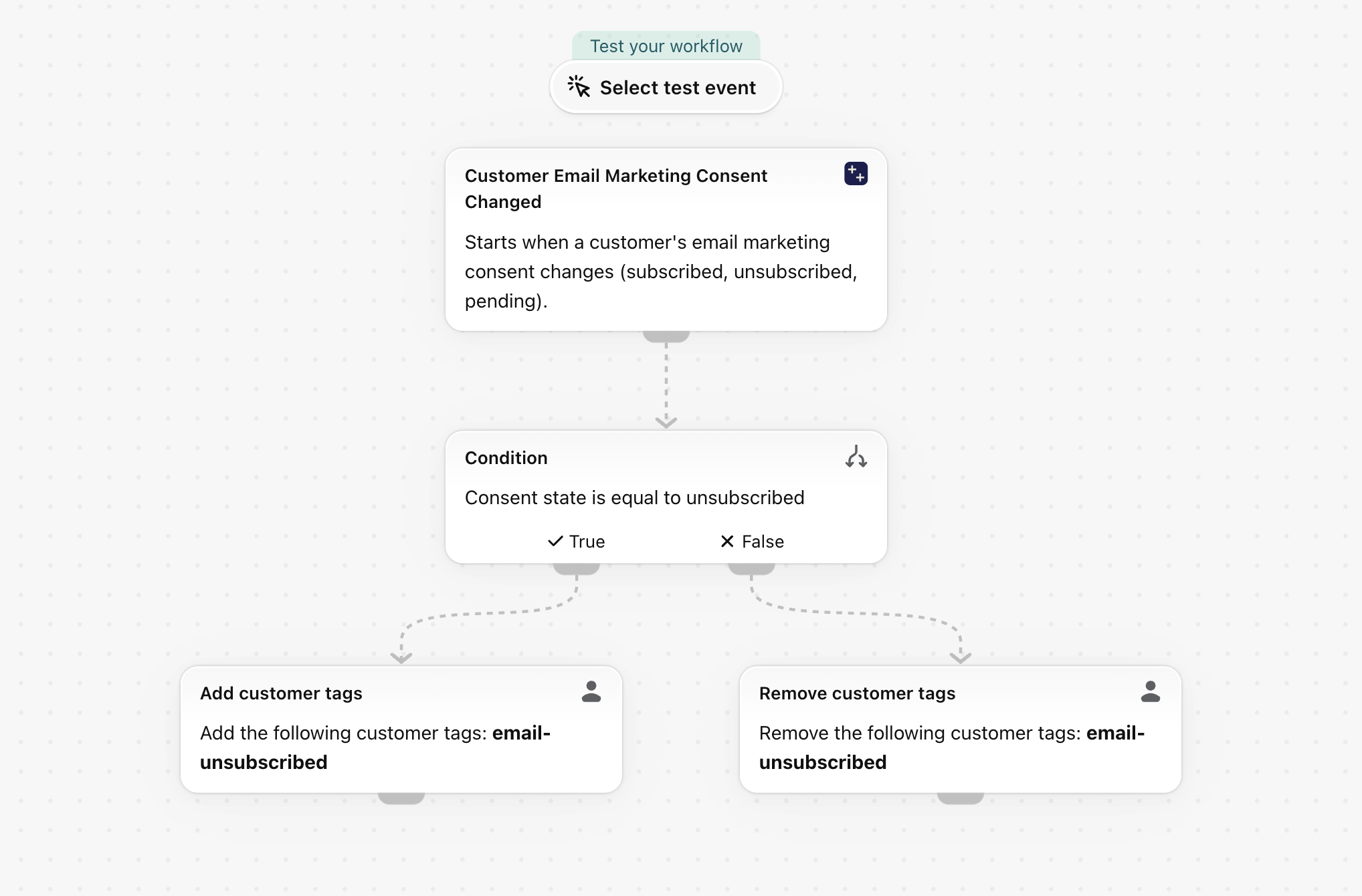
When a customer's email marketing consent changes to unsubscribed, add the tag email-unsubscribed; on any other change remove it again. Keeps segments and external tools in step with consent.
One trigger, built-in Shopify actions only, no other app needed. Nothing in it is specific to a store, so it works as soon as it is imported.
What it needs
- The app's permission Customer Data Access. See Permissions and data access.
- Nothing else: turning the workflow on switches the trigger Customer Email Marketing Consent Changed on in the app.
Install the Workflow Trigger Extensions app and grant Customer Data Access on its Permissions page. Turning this workflow on switches the trigger on in the app.
Get the workflow
- Download the
.flowfile attached at the bottom of this page. - In your Shopify admin open Flow, click Import and choose the file.
- Check the steps, then click Turn on workflow.
The file is an export from Shopify Flow itself. Do not edit it by hand; change the workflow in Flow after importing it.
How it works
- Customer Email Marketing Consent Changed carries the new
consentState. - The Condition checks
consentStateEqual tounsubscribed. - Then: Add customer tags
email-unsubscribed. Otherwise: Remove customer tagsemail-unsubscribed, so a customer who subscribes again loses the tag.
Make it yours
- Add Send HTTP request to mirror the change into an external email tool.
Next steps
- Customer triggers, step by step - every field this trigger sends, with more examples.
- Workflow templates - all templates.
- Event history and troubleshooting - check that the trigger fired.