

Sidekick and AI assistants
Workflow Trigger Extensions gives Shopify's Sidekick assistant a set of read-only tools, so you can ask about your triggers in plain language from anywhere in the Shopify admin. This page walks through the five questions merchants ask most, with the answers Sidekick gave on a real store.
Before you start
- Open Sidekick from the top bar of the Shopify admin. It works on any page, you do not have to be inside the app.
- Name the app in your question - "in Workflow Trigger Extensions". Sidekick can talk to every app you have installed, and the name is how it picks the right one.
- Ask one thing per question, and start a New conversation for a new topic. Answers are sharper that way.
Which triggers are switched on
Ask:
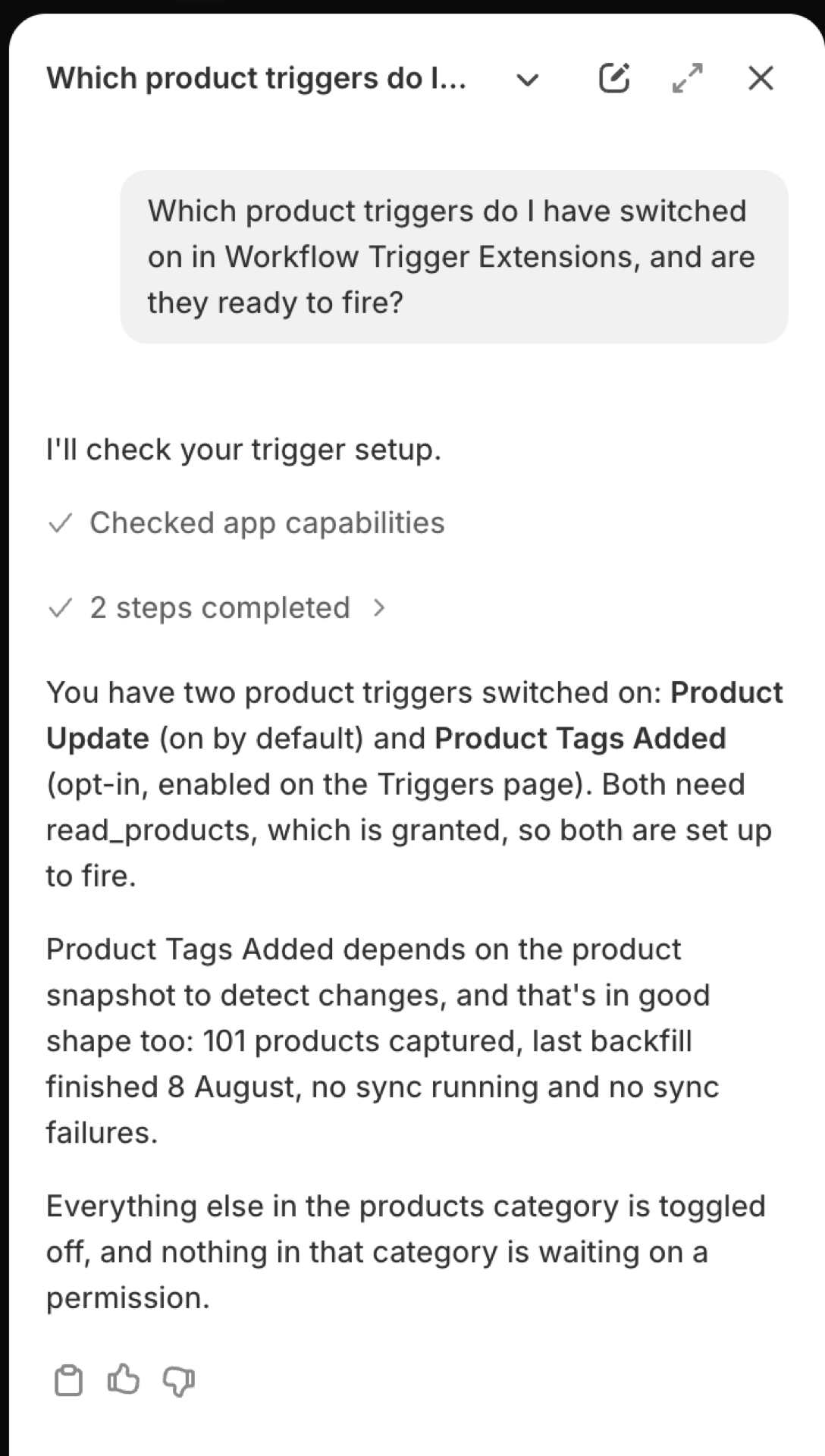
Which product triggers do I have switched on in Workflow Trigger Extensions, and are they ready to fire?
Sidekick lists the triggers of that group that are on, and for each one whether it can actually fire: the permission it needs, whether that permission is granted, and whether your existing records have been captured for change detection. Swap "product" for orders, customers, inventory or any other group.
Why a trigger is not running
Ask:
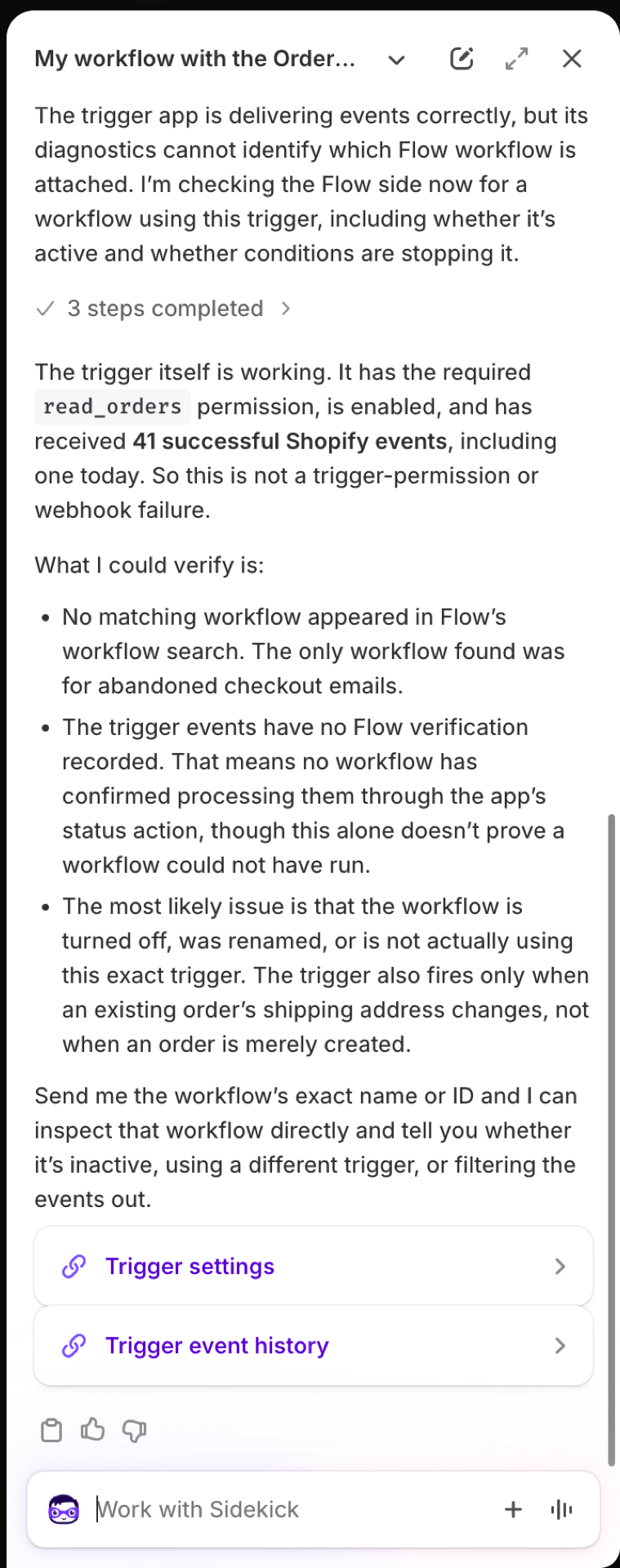
My workflow with the Order Shipping Address Changed trigger from Workflow Trigger Extensions never runs. Why?
Sidekick works through the same checklist support would: is the trigger switched on, is its permission granted, has the sync finished, and did events arrive and succeed. In the example below everything on the app's side was healthy, which moves the search to Shopify Flow: a workflow that is turned off, uses a different trigger, or has a condition that filters the event out. The answer ends with links to the Triggers page and to Event History.
Sidekick sees the app's side of the story. Whether your workflow is turned on, and what its conditions do, you check in Shopify Flow under the workflow's Recent runs.
What fired in the last 24 hours
Ask:
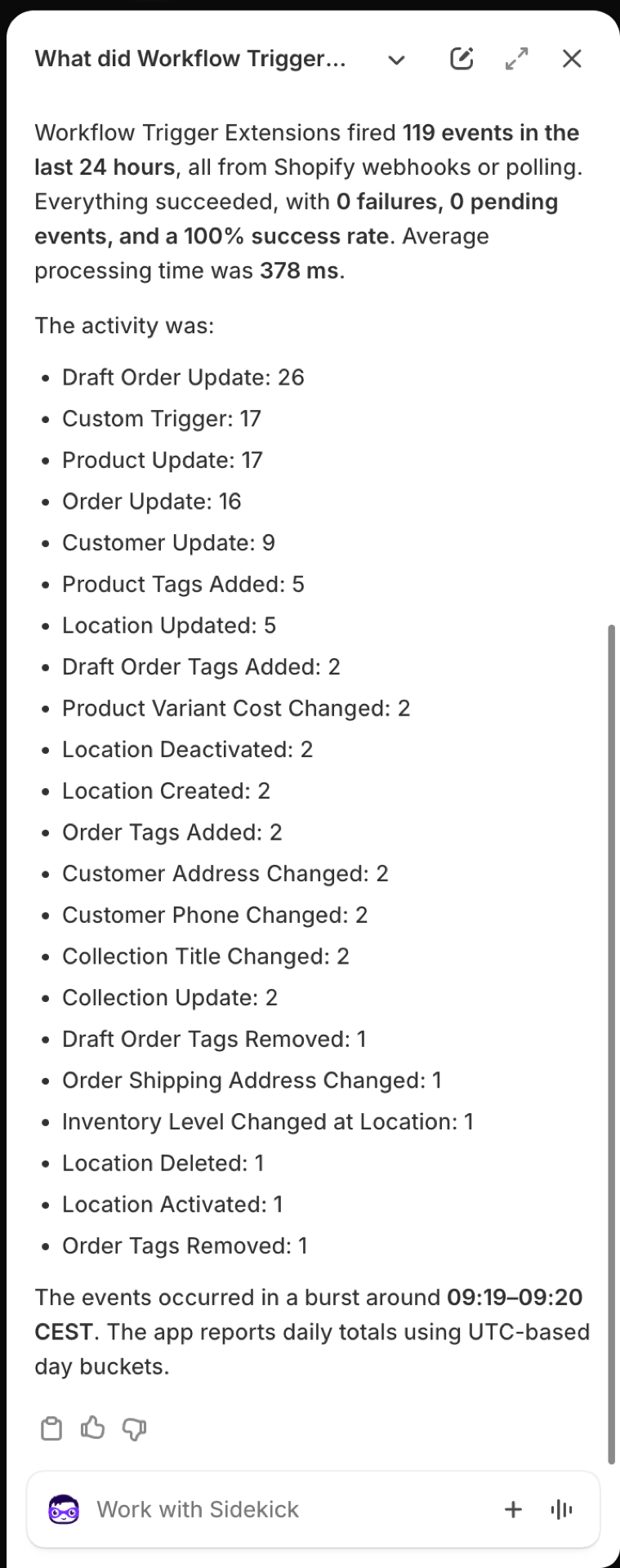
What did Workflow Trigger Extensions fire in the last 24 hours, and did anything fail?
You get the number of events, how many succeeded, failed or are pending, the average processing time, and a count per trigger. Follow up with "show me the failed ones" or "open the latest Product Update event" to go into a single event. Event counts are per UTC day, so a "today" in your time zone can span two of them.
Which permissions are granted
Ask:
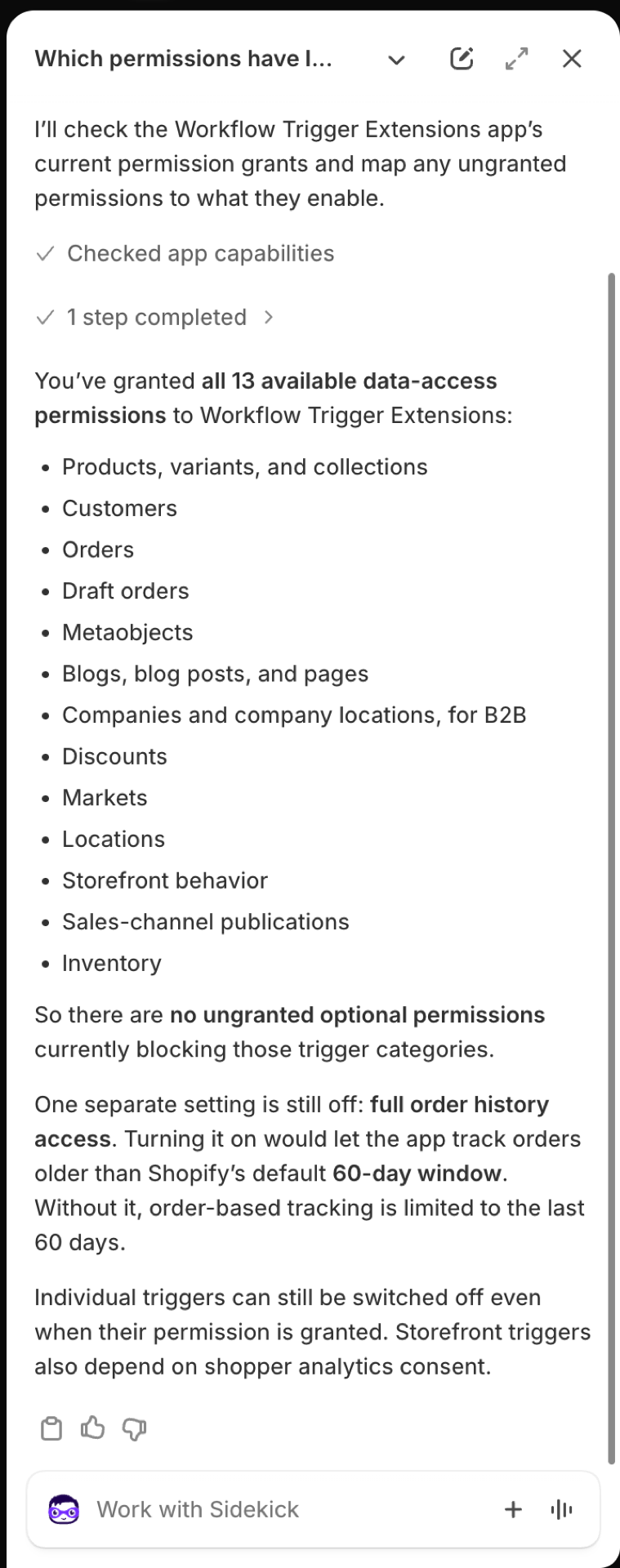
Which permissions have I granted to Workflow Trigger Extensions, and what would the ones I have not granted unlock?
Sidekick lists every permission you have granted, and for each missing one the triggers it would unlock. It also reports whether full order history is on - without it, order triggers cover orders of the last 60 days. Granting and revoking stays with you, on the app's Permissions page: see Permissions and data access.
Has syncing finished
Ask:
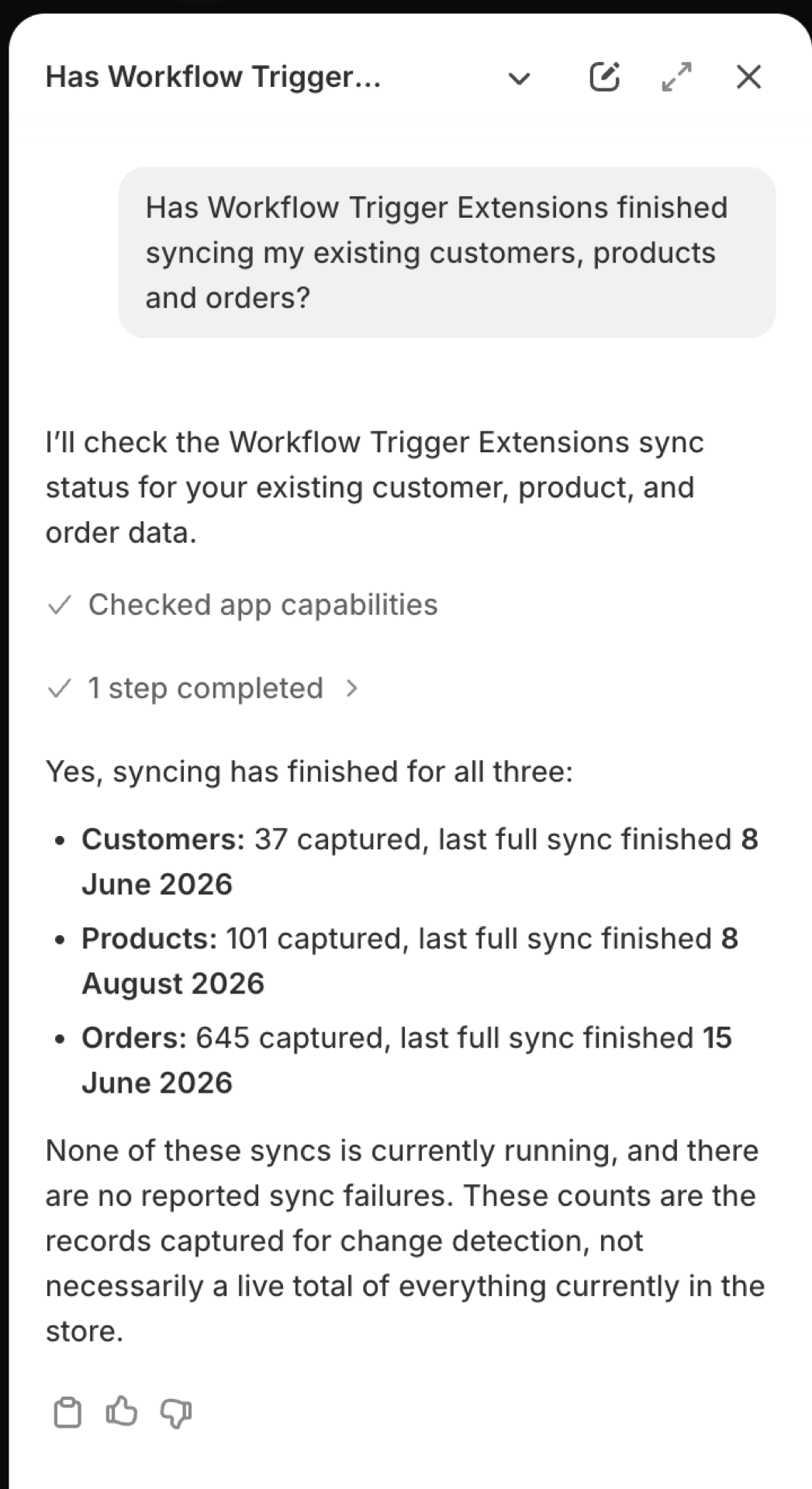
Has Workflow Trigger Extensions finished syncing my existing customers, products and orders?
Change triggers compare a record with the copy the app captured earlier, so a record that was never captured cannot fire on its first change. Sidekick reports how many customers, products and orders are captured, when the last full sync finished, and whether a sync is running or has failed. The numbers are what the app holds for change detection, not a live count of your store.
What it can access
Sidekick can read: trigger definitions and their setup status, event history and single events, aggregate statistics, granted permissions, and sync status.
Answers include a link to the exact page where a setting lives, so you can go straight from the diagnosis to the fix.
Good to know
- Sidekick cannot switch a trigger on or off, grant a permission or start a sync. It tells you where to do it.
- The content of an event is never passed to Sidekick, because it can hold customer names, emails and addresses. Sidekick knows that an event fired, when, and how it ended. To see what it carried, open it in Event History.
- Storefront triggers depend on shopper consent. If one is on and quiet, ask Sidekick first, then read Storefront triggers.
- Sidekick writes its answers itself, so wording varies between runs. The numbers come from the app.