
Generate trigger code with AI
Connect your Anthropic (Claude) or OpenAI API key and describe a custom trigger in plain English - the editor writes the transform for you.
Describe what you want in plain English and let AI write the code. It uses your own AI provider key, and it is grounded in this app's runtime contract, the Shopify Admin API, and - once you have captured one - the real event payload your trigger receives.
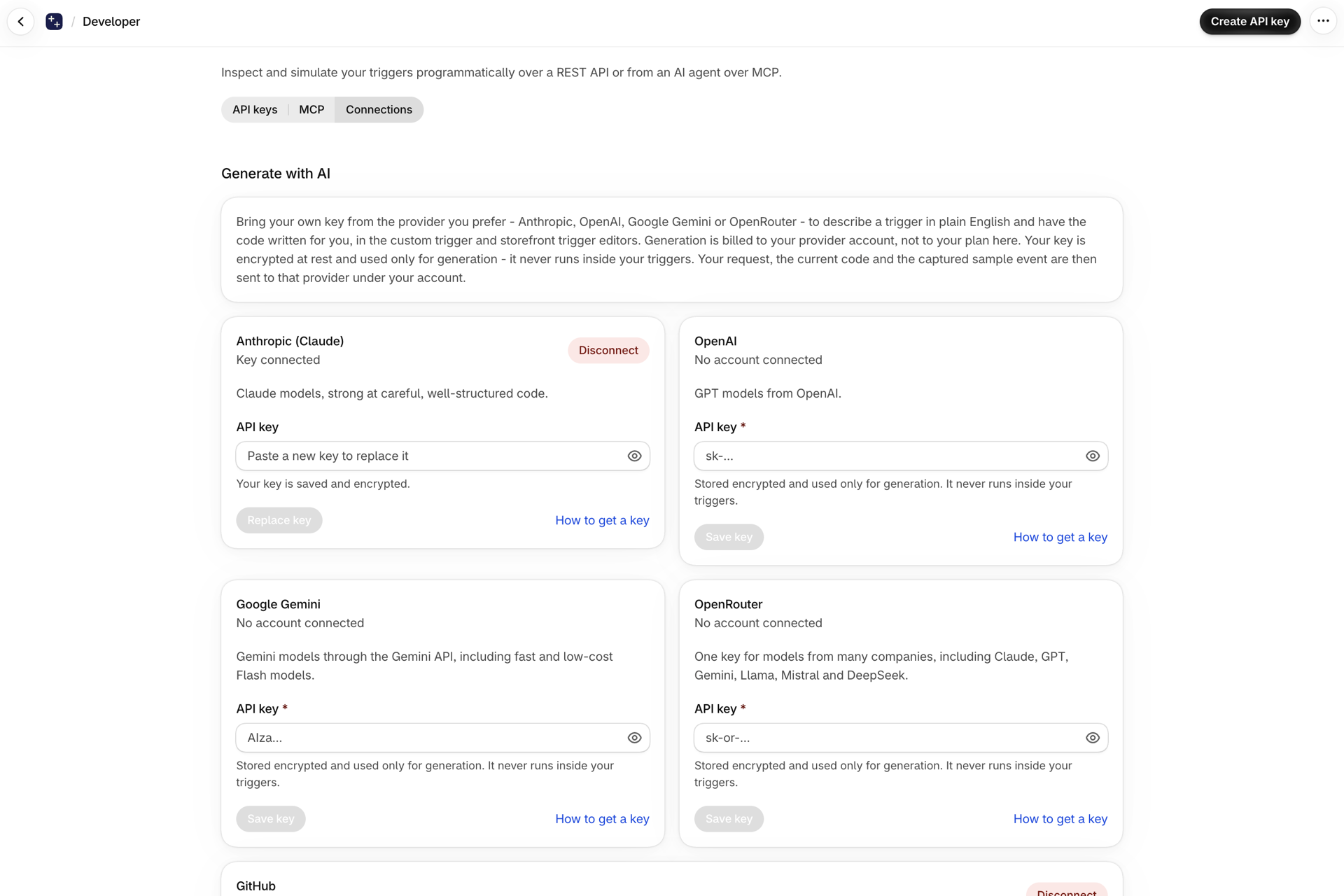
Connect a provider
On Developer -> Connections, add your API key for the provider you prefer: Anthropic (Claude), OpenAI, Google Gemini or OpenRouter.
- Your key is encrypted at rest and used only for generation. It is never run inside your trigger code, and it is never shown again after you save it.
- Each card links to a short guide: How to get an Anthropic (Claude) API key, How to get an OpenAI API key, How to get a Google Gemini API key or How to get an OpenRouter API key.
- When you generate, your request, the current code and the captured sample event are sent to that provider under your account.
Connect one provider, or several and pick per generation. Disconnect removes the key again.
Generate a custom trigger
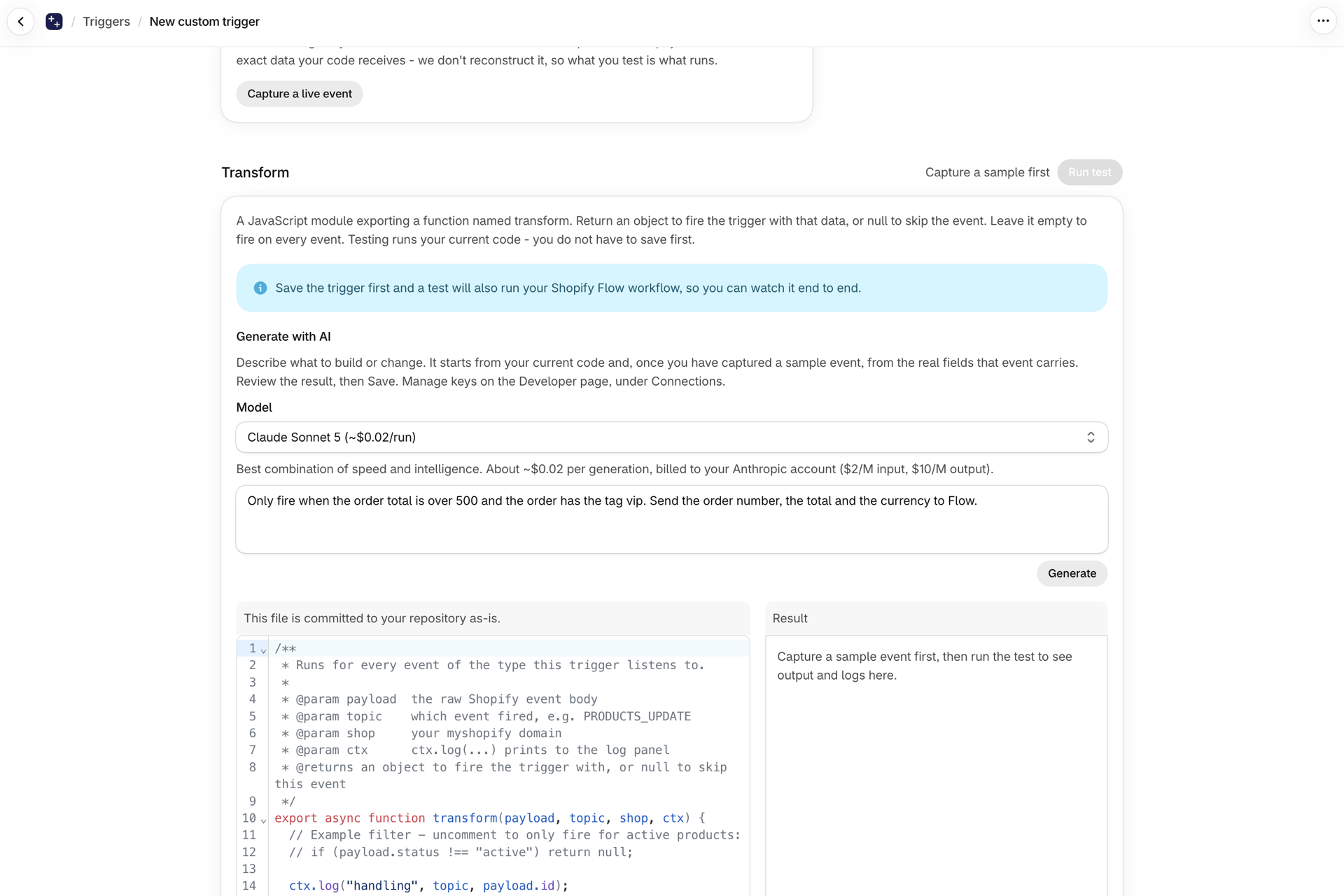
- Open a custom trigger. With a provider connected, a Generate with AI box appears in the Transform card, above the code.
- Describe what should happen - be specific about when it should fire and what the workflow needs, for example:
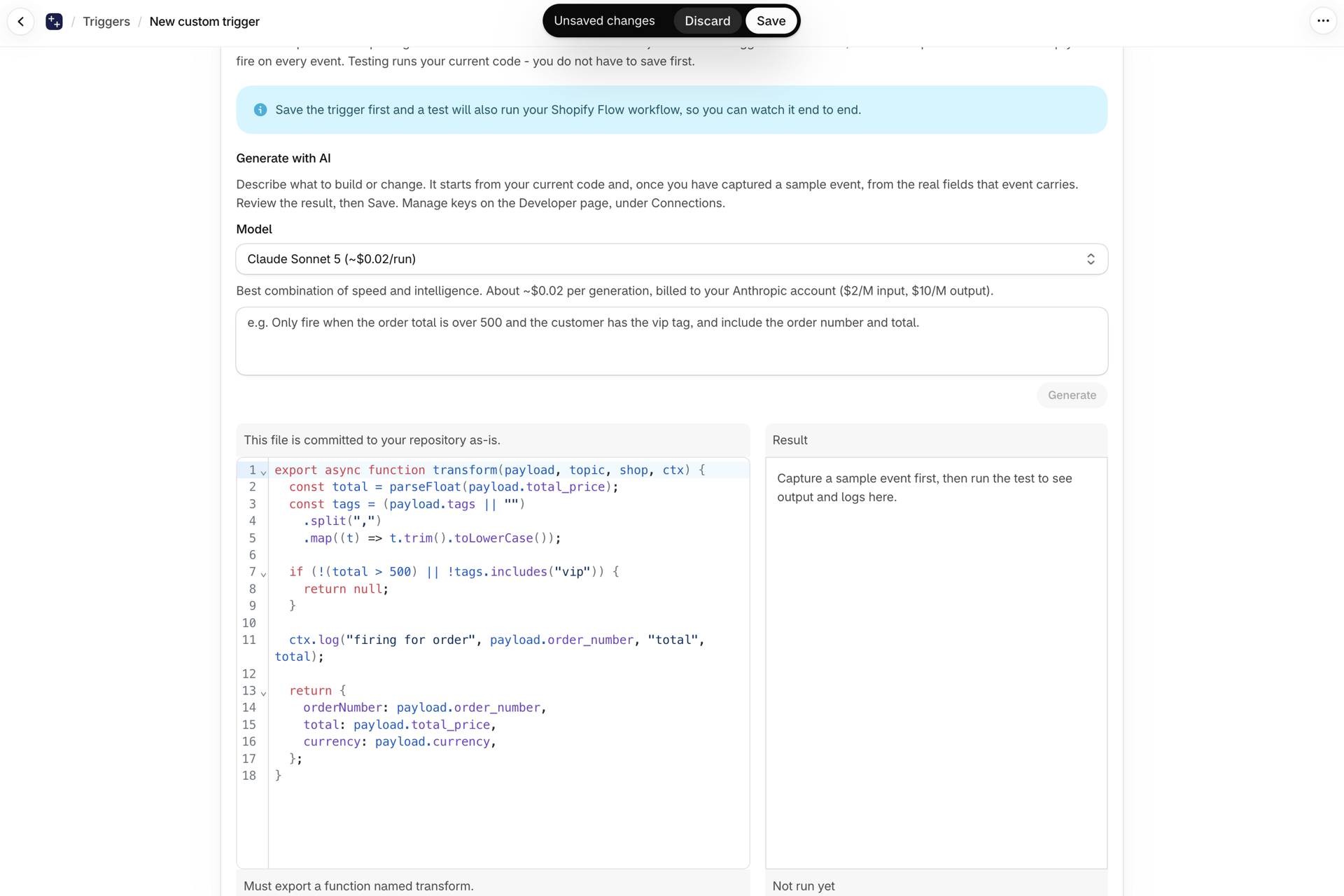
Only fire when the order total is over 500 and the order has the tag vip. Send the order number, the total and the currency to Flow.
- Pick a provider (if you connected more than one) and a model, then select Generate.
- The code loads into the editor as an unsaved change. Review it, test it, then Save. If there is already code, it edits that rather than starting over, so "now also do X" builds on what you have.
Generate a storefront snippet
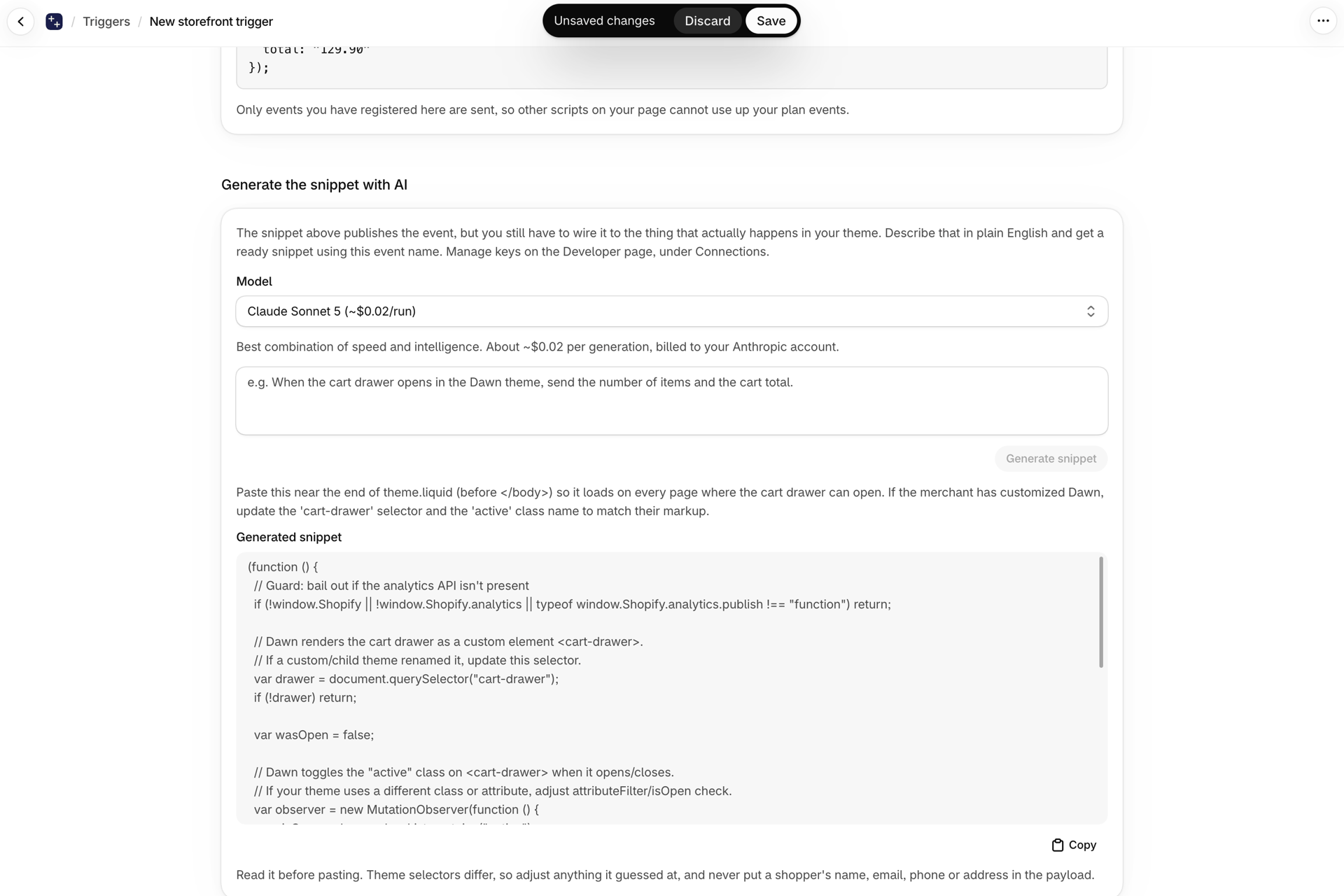
A Custom Storefront Triggers works differently: it has no transform to write. What you have to produce is the JavaScript that publishes the event from your theme, and that is the part people get stuck on - every theme names its elements differently.
Open the storefront trigger and use Generate the snippet with AI. Describe the thing that should fire it ("when the cart drawer opens in Dawn, send the item count and cart total") and you get a ready snippet using your registered event name, plus notes on where to paste it.
Read it before pasting, adjust any selector it guessed at for your theme, and never put a shopper's name, email, phone or address into the payload.
Choosing a model and cost
Each option shows an estimated cost per generation, and the box shows the per-million-token price for the selected model. Cost is billed to your own provider account, not to your Workflow Trigger Extensions plan - a single generation is typically a couple of cents or less. Models and prices change over time; the latest are on each provider's site, linked under each table.
Anthropic (Claude)
| Model | Best for | Price (input / output per M tokens) |
|---|---|---|
| Claude Sonnet 5 | Balanced speed and intelligence (default) | $2 / $10 |
| Claude Opus 5 | Complex, agentic work | $5 / $25 |
| Claude Fable 5 | Next-generation, long-running agents | $10 / $50 |
| Claude Haiku 4.5 | Fastest and cheapest | $1 / $5 |
Latest Anthropic models and pricing: platform.claude.com/docs/en/models/overview
OpenAI
| Model | Best for | Price (input / output per M tokens) |
|---|---|---|
| GPT-5.6 Terra | Balanced (default) | $2 / $12 |
| GPT-5.6 Sol | Frontier, complex work | $4 / $20 |
| GPT-5.6 Luna | Cost-sensitive | $0.20 / $1.20 |
Latest OpenAI models and pricing: developers.openai.com/api/docs/models
Google Gemini and OpenRouter list their models with the same per-generation estimate in the model picker. OpenRouter gives you models from many companies behind one key.
What it knows
The generator is told this app's runtime contract, so it uses the right shapes:
export async function transform(payload, topic, shop, ctx), returning an object to fire the trigger ornullto skip the event.ctx.log(...)for the log panel, andctx.shopify(query, variables)for the Admin GraphQL API - which throws on error and is capped at 10 calls per run.- The topic your trigger listens to, and the captured sample payload for it.
It does not know which permissions you have granted. If generated code queries a resource you have not granted access to, the call fails at run time - see Permissions and data access.