
Tag products as low stock when inventory drops below five
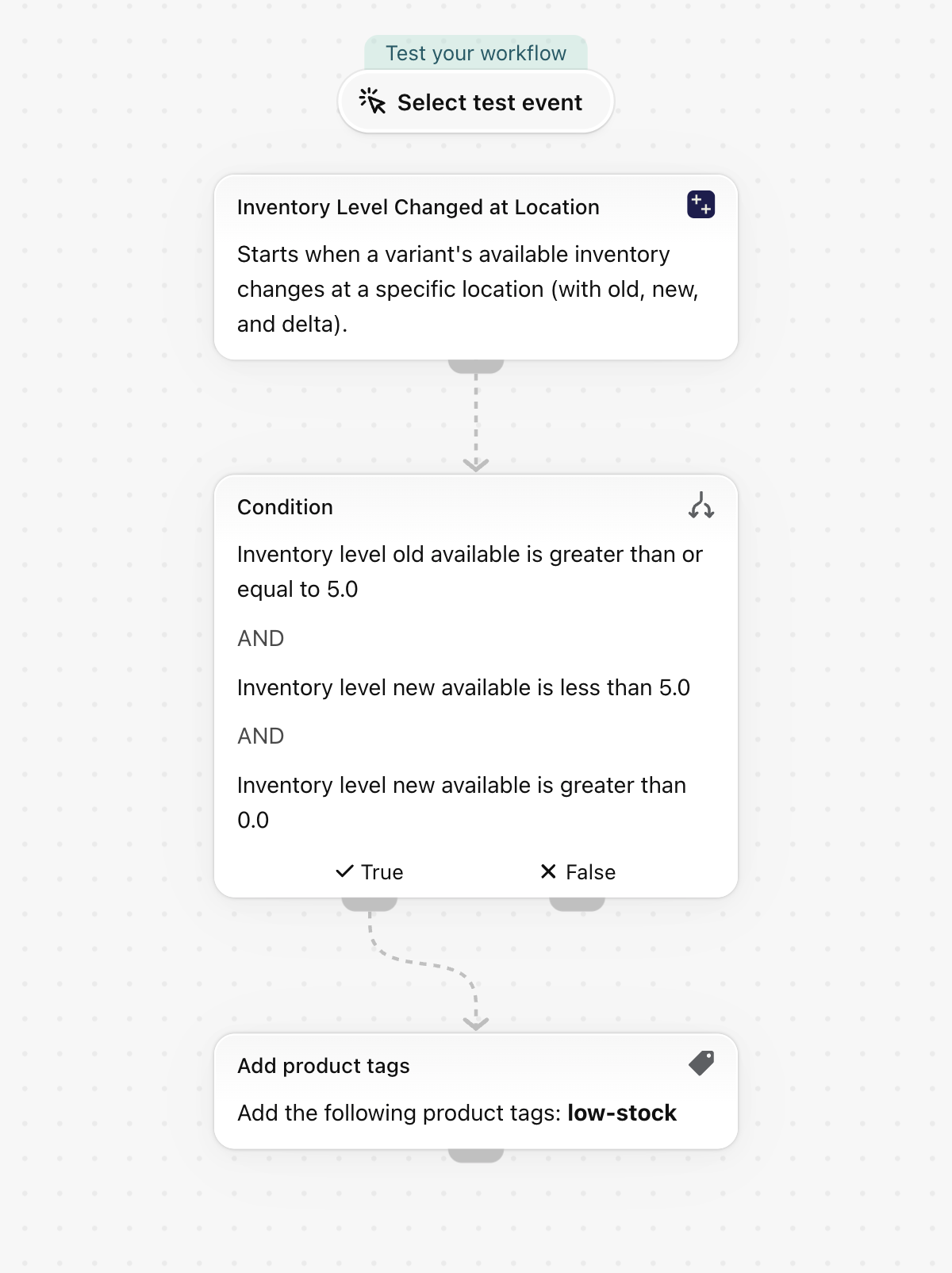
When a variant's available quantity at a location drops from five or more to below five, add the tag low-stock to its product. The trigger carries the quantity before and after the change, so the tag is set once when the threshold is crossed, not on every sale below it.
When a variant's available quantity at a location drops from five or more to below five, add the tag low-stock to its product. The trigger carries the quantity before and after the change, so the tag is set once when the threshold is crossed, not on every sale below it.
One trigger, built-in Shopify actions only, no other app needed. Nothing in it is specific to a store, so it works as soon as it is imported.
What it needs
- The app's permission Inventory Data Access + Product, Variant & Collection Data Access. See Permissions and data access.
- Nothing else: turning the workflow on switches the trigger Inventory Level Changed at Location on in the app.
Install the Workflow Trigger Extensions app and grant Inventory Data Access and Product, Variant & Collection Data Access on its Permissions page. Turning this workflow on switches the trigger on in the app.
Get the workflow
- Download the
.flowfile attached at the bottom of this page. - In your Shopify admin open Flow, click Import and choose the file.
- Check the steps, then click Turn on workflow.
The file is an export from Shopify Flow itself. Do not edit it by hand; change the workflow in Flow after importing it.
How it works
- Inventory Level Changed at Location carries
inventoryLevelwitholdAvailable,newAvailable,deltaand the location. - The Condition continues when
inventoryLevel.oldAvailableis Greater than or equal to5,inventoryLevel.newAvailableis Less than5andinventoryLevel.newAvailableis Greater than0. - Add product tags puts
low-stockon the product.
Make it yours
- Change
5to your own reorder point in both places. - Add a condition on
inventoryLevel.locationNameto watch a single warehouse. - Pair it with the template that removes the tag when stock is back to five or more.
Next steps
- Inventory triggers, step by step - every field this trigger sends, with more examples.
- Workflow templates - all templates.
- Event history and troubleshooting - check that the trigger fired.