
Tag orders when their line items are edited
Auto-tag Shopify orders as order-edited when line items change, so Shopify Flow alerts your warehouse to re-check picked orders.
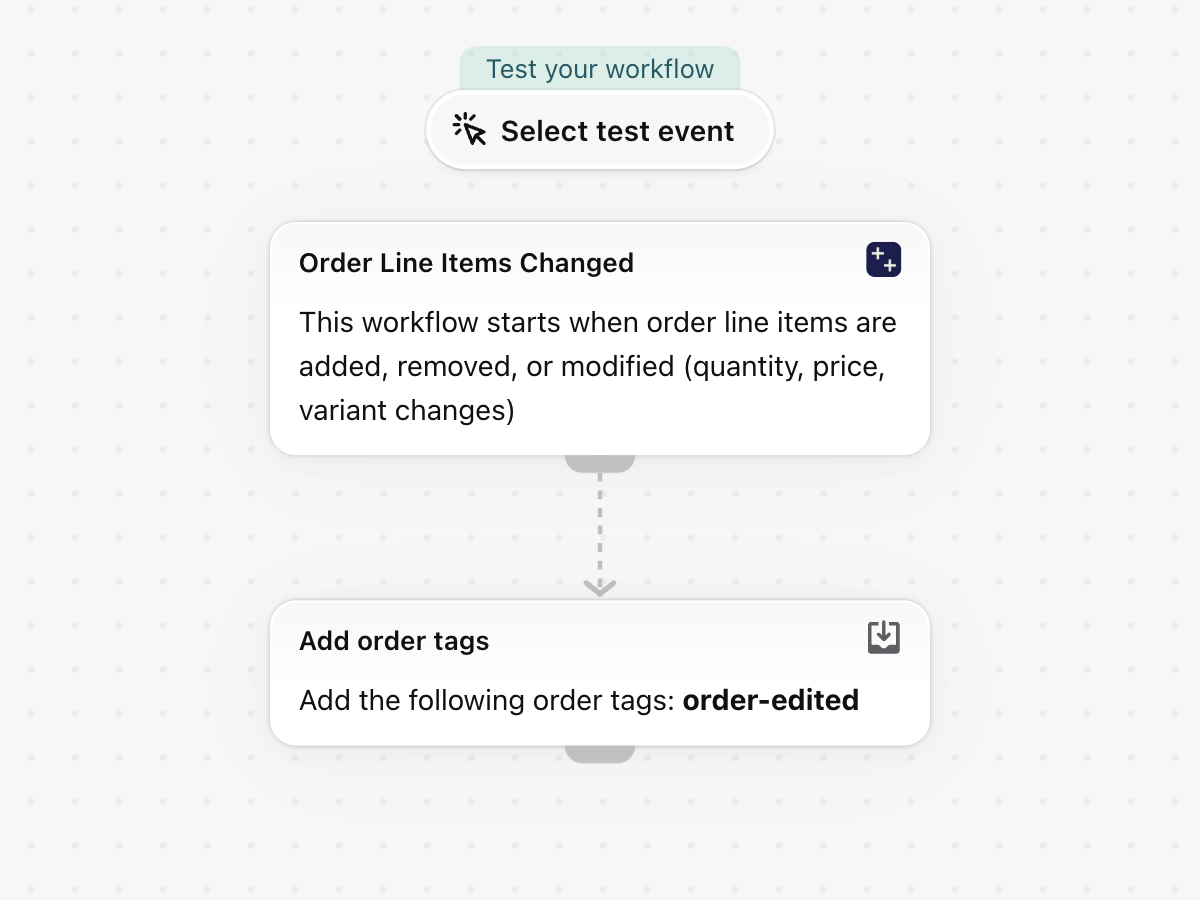
When items are added to, removed from or changed on an existing order, add the tag order-edited, so the warehouse re-checks an order it may already have picked. The trigger also carries what changed, with old and new quantity and price.
One trigger, built-in Shopify actions only, no other app needed. Nothing in it is specific to a store, so it works as soon as it is imported.
What it needs
- The app's permission Order Data Access. See Permissions and data access.
- Nothing else: turning the workflow on switches the trigger Order Line Items Changed on in the app.
Install the Workflow Trigger Extensions app and grant Order Data Access on its Permissions page. Turning this workflow on switches the trigger on in the app.
Get the workflow
- Download the
.flowfile attached at the bottom of this page. - In your Shopify admin open Flow, click Import and choose the file.
- Check the steps, then click Turn on workflow.
The file is an export from Shopify Flow itself. Do not edit it by hand; change the workflow in Flow after importing it.
How it works
- Order Line Items Changed fires when an existing order is edited: an item added or removed, a quantity, price or variant changed.
- Add order tags puts
order-editedon the order.
Make it yours
- Add a condition At least one of
changes.itemshaschangeTypeEqual toremovedto react only to removed items. - Hold the fulfillment instead of tagging, with a For each over the order's fulfillment orders.
Next steps
- Order triggers, step by step - every field this trigger sends, with more examples.
- Workflow templates - all templates.
- Event history and troubleshooting - check that the trigger fired.