
Metafield changes in Flow: the updated triggers and the metafield triggers
Flow's updated triggers can watch a metafield and give its current value. The metafield triggers add the previous value, for 15 kinds of records.
Metafields are where a store keeps what Shopify has no field for: a rating, a loyalty tier, a delivery window, an approval status. Flow's updated triggers can watch a metafield on six kinds of records, and they hand the workflow its current value.
The metafield triggers of this app carry the value before and after the change, for 15 kinds of records, and they do not take a place among five fields. For a status kept in a metafield that makes the difference between "it changed" and "it moved from this step to that one".
What Flow's updated triggers do with metafields
From Shopify's help pages, as of November 20, 2026:
- A metafield can be watched with
metafield.valueon Product updated, Customer updated, Order updated, Collection updated and Location updated, and withvariants.metafield.valueon Product updated. - You select one of your store's metafield definitions, or enter a namespace to monitor every metafield in it.
- Each definition or namespace you select counts as one of the five fields of that workflow.
- The workflow gets the current value. The value before the change is not available.
Side by side
| Flow's updated triggers | Metafield triggers of this app | |
|---|---|---|
| Value in the workflow | the current value | metafield.value and metafield.previousValue |
| Records | product, variant, customer, order, collection, location | the same six, plus draft order, company, company location, market, shop, page, blog, blog post and inventory transfer |
| How many metafields | each definition or namespace takes one of five fields | as many as you add, or all metafields of a record type at once |
| Which metafield changed | you know it was one you selected | metafieldKey, and metafield.namespace, metafield.key and metafield.type |
| A metafield that is set for the first time | the current value only, so nothing marks it as a first value | fires once with an empty previousValue, so a workflow can tell a first value from a changed one |
| Together with other fields | yes, in the same trigger | a metafield trigger is about metafields. For other fields there are the triggers per kind of change |
Watching a metafield together with other fields of the record in one trigger is a real strength of Flow's triggers. If the current value is all the workflow needs, use them.
What the previous value makes possible
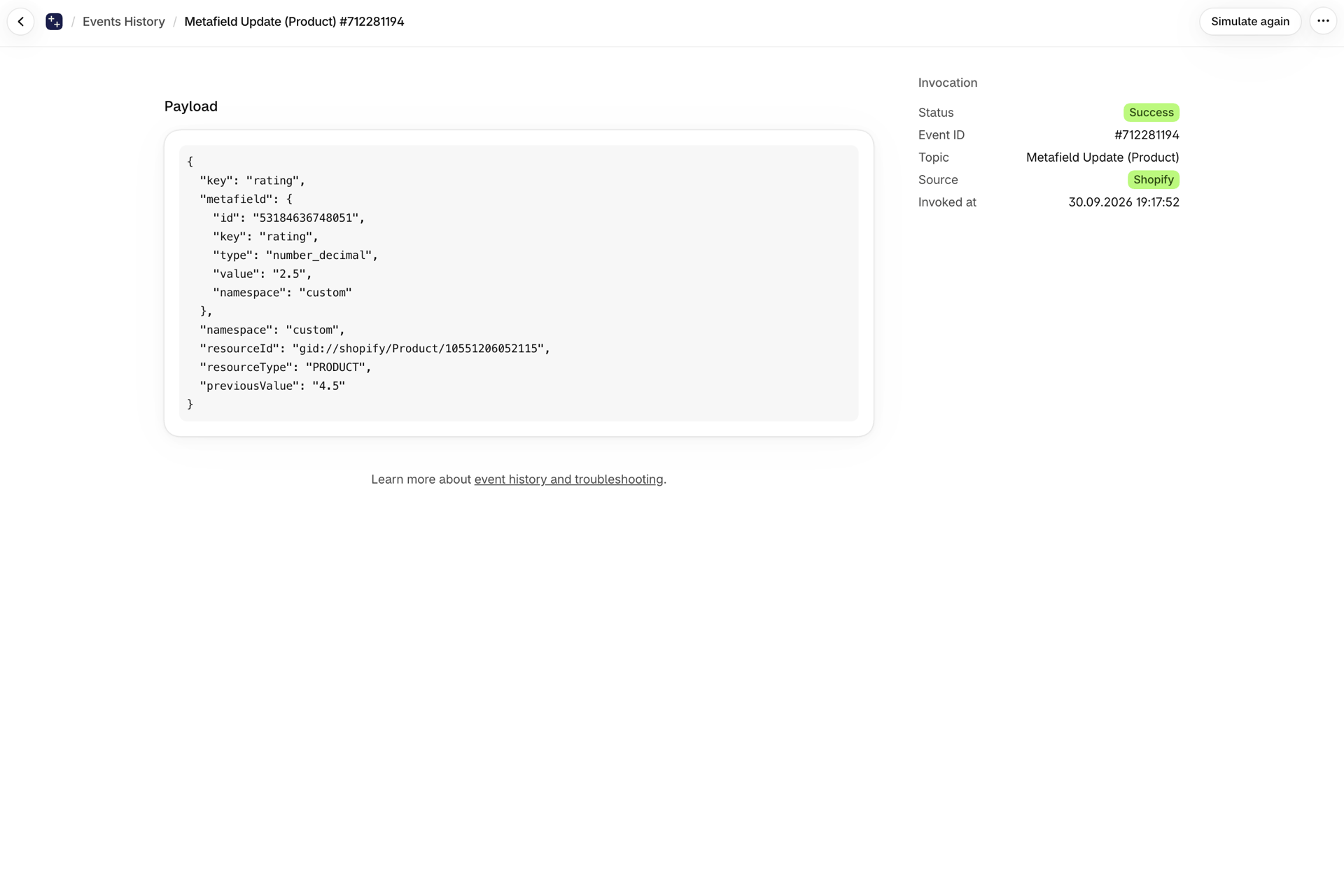
Act once, when a number crosses a line. A reviews app writes a rating into a product metafield. "Hide the product when the rating drops below 3" should act at the moment it drops, not on every later edit while it is low. With both values the condition is: value Less than 3 and previousValue Greater than or equal to 3. With the current value alone the condition is true again on every further change below 3.
React to one step of a status. An approval metafield moves from pending to approved: publish. From approved back to pending: unpublish and tell the team. The step is the information, and it needs both ends.
Tell an upgrade from a downgrade. A loyalty tier that goes from silver to gold deserves a congratulation. From gold to silver it does not. Customer Metafield Update carries both tiers.
Tell the first value from a change. A form creates a customer with answers in metafields. The trigger fires once with an empty previousValue, so a welcome workflow can act on the first value and a second workflow on later changes.
Keep a history. Write previousValue to a second metafield or send it along to another system, and the record remembers what it said before.
Setting one up
- Open Metafield Triggers in the app.
- Click Add trigger and choose the record type, for example Product.
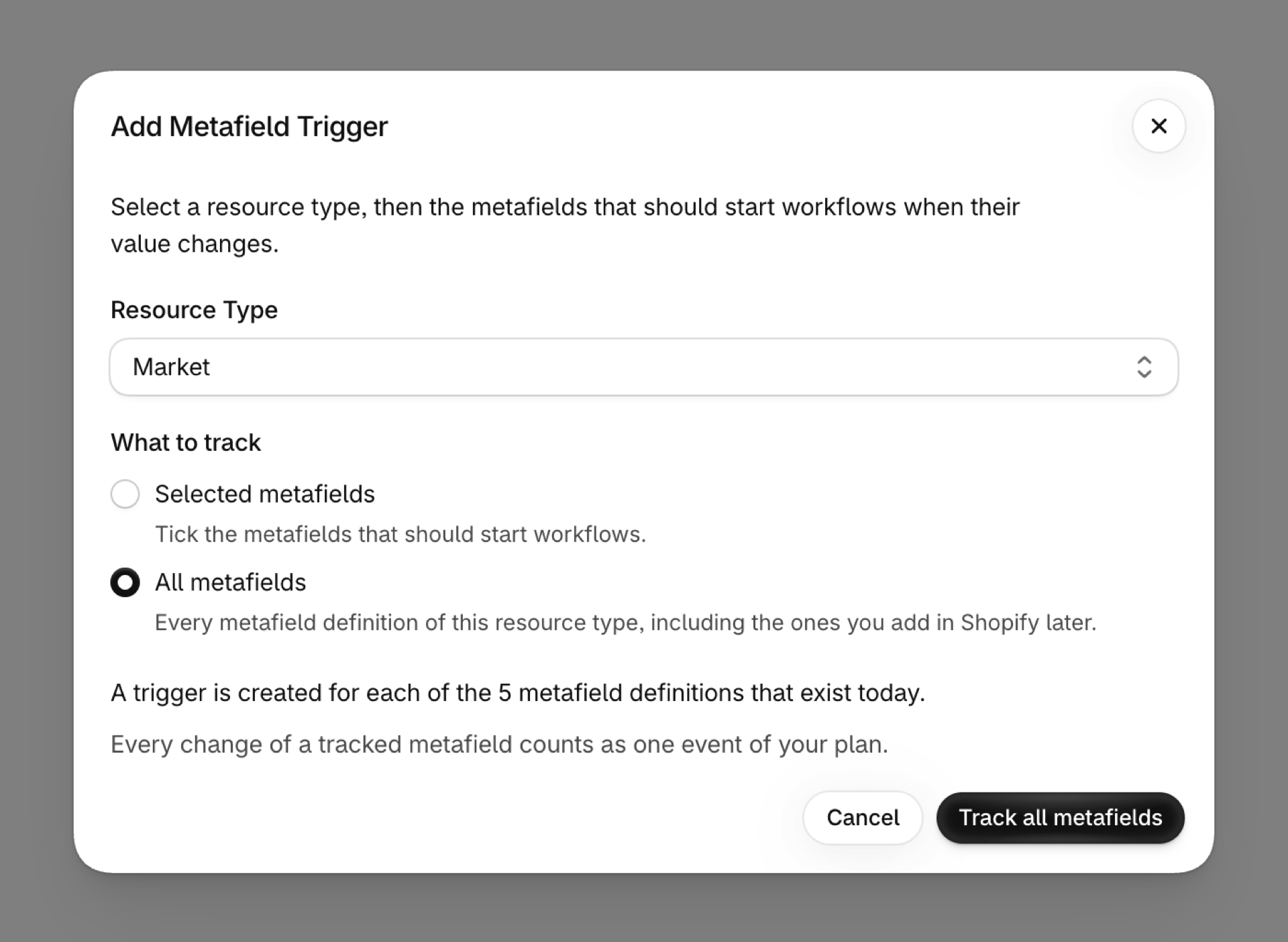
- Tick the metafield definitions you want, or choose All metafields to track every metafield of that type, including the ones you create later.
- In Shopify Flow, start a workflow with Metafield Update, or with Product Metafield Update, Product Variant Metafield Update, Customer Metafield Update or Order Metafield Update when the workflow should act on that record directly.
The app first records the current value of the metafield on your existing records, so the first edit already fires with the right old value. Metafield triggers explains each step with screenshots.
Can Shopify Flow trigger a workflow when a metafield changes?
Yes. Flow's Product, Customer, Order, Collection and Location updated triggers can watch a metafield definition or a namespace, and Product updated can watch a variant metafield. The workflow gets the current value. For the value before the change, or for other kinds of records, use the metafield triggers of this app.
How do I get the previous value of a metafield in Flow?
With a metafield trigger of this app. Every event carries metafield.previousValue next to metafield.value.
Which records can the metafield triggers watch?
Products, variants, collections, customers, orders, draft orders, companies, company locations, locations, markets, the shop, pages, blogs, blog posts and inventory transfers.
Does a watched metafield count toward a field limit?
Not in this app. On Flow's updated triggers each metafield definition or namespace counts as one of the five fields of the workflow.
Can I watch every metafield of my products?
Yes. Choose All metafields for the record type. On Flow's triggers you can enter a namespace to watch every metafield in it.
Next steps
- Metafield triggers - set up a metafield trigger, with screenshots.
- Metafield triggers, step by step - a worked example for each metafield trigger.
- Flow's updated triggers and Workflow Trigger Extensions - the overview of all nine updated triggers.