
Run a workflow when one specific tag is added or removed
Start a Shopify Flow workflow once when one tag is added to an order, customer or product, and again when it is removed. With the tags that changed.
Starting a process with a tag is the most common job of this app. Staff tag an order hold, a fraud app tags it review, a subscription app tags a customer vip. The workflow should act once, when that tag appears, and often a second workflow should act when the tag is taken off again.
This page shows how to build both, and how the tag triggers of this app differ from Flow's own Order updated, Customer updated and Product updated triggers with the tags field.
What each trigger knows about a tag change
Flow's updated trigger watching tags |
Tags Added and Tags Removed in this app | |
|---|---|---|
| Starts a workflow | on every change to the tag list, whichever tag was added or removed | Tags Added when at least one tag is added, Tags Removed when at least one is removed |
| What the workflow gets | the tag list after the change | addedTags, removedTags, previousTags, currentTags |
| "Was my tag just added?" | cannot be answered: the tag is on the list, since now or since last month | addedTags includes it |
| "Was my tag just removed?" | cannot be answered: the tag is not on the list, like on every record that never had it | removedTags includes it |
| Several tags written in one go | one run per write | one event that lists all of them |
What happened in our test
One order on a development store, November 20, 2026. A workflow on Flow's Order updated and the tag triggers of this app ran side by side and wrote down what they saw. For each run we then checked the condition a tag workflow would use: on Flow's trigger the only one it can have, "the order's tags include exp-vip", and on Order Tags Added "addedTags includes exp-vip".
| Step | Flow's Order updated | Order Tags Added |
|---|---|---|
Tag exp-vip added |
runs, the tags include it: condition true | fires with addedTags = exp-vip: condition true |
Tag exp-other added later |
runs again, the tags still include exp-vip: true again |
fires with addedTags = exp-other: false |
Tag exp-other removed |
runs again: true again | does not fire (Order Tags Removed does) |
| Three more tags added within one second | 3 runs: true three more times | 1 event with the three tags: false |
Tag exp-vip removed |
runs, the tag is gone: false, and nothing says that it was just removed | Order Tags Removed fires with removedTags = exp-vip |
One tag, added once: the workflow on Flow's trigger would have acted six times, the one on Order Tags Added once. If the action is an email to the customer, a hold on the fulfillment or a call to another system, that difference is the whole point.
Build it: act once when a tag is added
- In Shopify Flow choose Select a trigger, open Workflow Trigger Extensions and pick Order Tags Added.
- Add a Condition:
addedTagsIncludeshold. - Add your action, for example Hold fulfillment order inside a For each over the order's fulfillment orders.
- Turn the workflow on. Turning it on also switches the trigger on in the app.
The workflow runs when the tag hold is added. It does not run when another tag is added to an order that already has hold, when a tag is removed, or when anything else on the order changes.
Build it: act when a tag is removed
- Pick Order Tags Removed as the trigger.
- Add a Condition:
removedTagsIncludeshold. - Add the action that undoes the first workflow, for example Release fulfillment order hold inside a For each over the order's fulfillment orders.
- Turn the workflow on.
This is the case an updated trigger cannot cover on its own. After a tag was removed, the record looks exactly like a record that never had the tag. A workflow that only sees the current tag list has nothing to tell the two apart.
The same for products, customers and draft orders
| Record | Added | Removed |
|---|---|---|
| Order | Order Tags Added | Order Tags Removed |
| Product | Product Tags Added | Product Tags Removed |
| Draft order | Draft Order Tags Added | Draft Order Tags Removed |
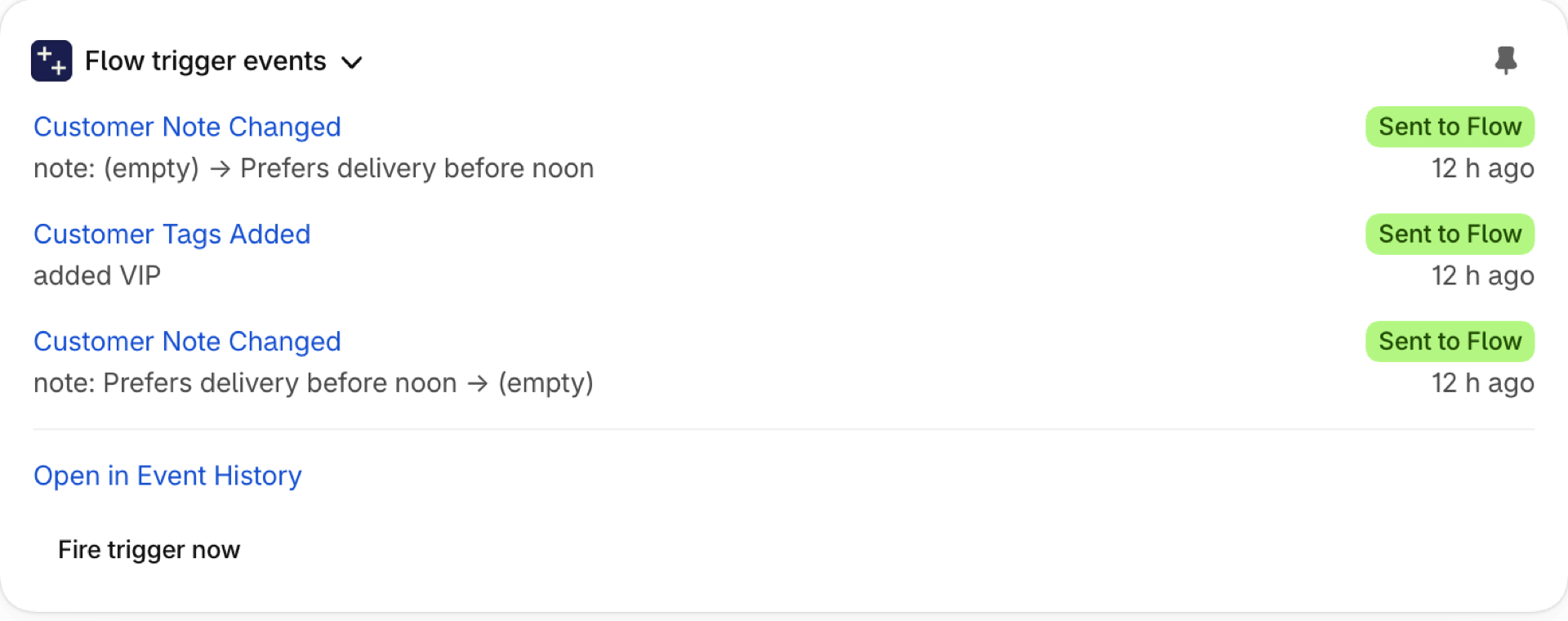
| Customer | Customer Tags Added | Customer Tags Removed |
All eight send the same four values: addedTags, removedTags, previousTags and currentTags. Order triggers, step by step, Product triggers, step by step, Draft order triggers, step by step and Customer triggers, step by step have a worked example for each.
For customers, Flow also has its own Customer tags added and Customer tags removed triggers, which list the tags that were added or removed. For orders, products and draft orders Flow has no such trigger: there the tag triggers of this app are the way to react to one tag.
If you use Flow's updated trigger for tags
Flow's Order updated, Customer updated and Product updated can watch tags too, and for a simple alert ("tell me when the tags of an order change") that is all you need. To keep such a workflow from acting again and again on one tag, the usual pattern is a marker:
- Condition: the tags include
holdand do not includehold-done. - Do the work.
- Last step: add the tag
hold-done.
It works, with three things to keep in mind. Every workflow needs its own marker tag, and the tags of your records fill up with them. The workflow starts once more for its own marker tag and stops at the condition. And when hold is removed and added again, nothing happens until someone removes the marker as well. Acting on a removed tag is not possible this way.
Why does my workflow run several times for one tag?
A workflow on a Flow updated trigger with the tags field runs on every change to the tag list. As long as your tag is on the record, every other tag that is added or removed makes the condition true again. Use the Tags Added trigger of this app with a condition on addedTags, or the marker pattern described above.
Can I start a workflow for one specific tag only?
Yes. Use the Tags Added trigger for the record type and add the condition addedTags Includes your tag. For removal use Tags Removed with removedTags.
Does Shopify Flow have a trigger for a tag that was added or removed?
For customers, yes: Customer tags added and Customer tags removed. For orders, products and draft orders a tag can only be watched with the tags field of an updated trigger, which shows the list after the change and not what was added or removed. Order Tags Added, Order Tags Removed, Product Tags Added, Product Tags Removed and the two draft order triggers of this app name the tags.
Next steps
- Flow's updated triggers and Workflow Trigger Extensions - the overview of Flow's updated triggers and this app.
- Old and new values: what a workflow can do with them - what else a workflow can do with the value before a change.
- Event history and troubleshooting - see every tag event and what it carried.