
Product variant metafield trigger
Start a Shopify Flow workflow when a product variant metafield changes. Track it in Workflow Trigger Extensions and get the old and the new value.
A warehouse stores the shelf of every variant in the variant metafield Bin location (custom.bin_location). When a variant moves to another shelf, the picking team needs the new location before the next order is packed.
This page shows how to start a Shopify Flow workflow whenever a metafield of a product variant changes, with Workflow Trigger Extensions. The steps are the same for every metafield of this resource type; the example uses Bin location (custom.bin_location).
What you need
- A metafield definition. Create it in your Shopify admin under Settings > Metafields and metaobjects > Variants. A metafield without a definition cannot be tracked.
- The permission Product, Variant & Collection Data Access. Grant it on the app's Permissions page, see Permissions and data access.
1. Track the metafield
- Open Metafield Triggers in the app and click Add trigger.
- Choose the resource type Product Variant.
- Tick the metafield, here Bin location. You can tick several at once or use Select all.
- Click Add trigger.
To track every metafield of this resource type, including the ones you create later, choose All metafields instead of ticking single ones, then click Track all metafields.
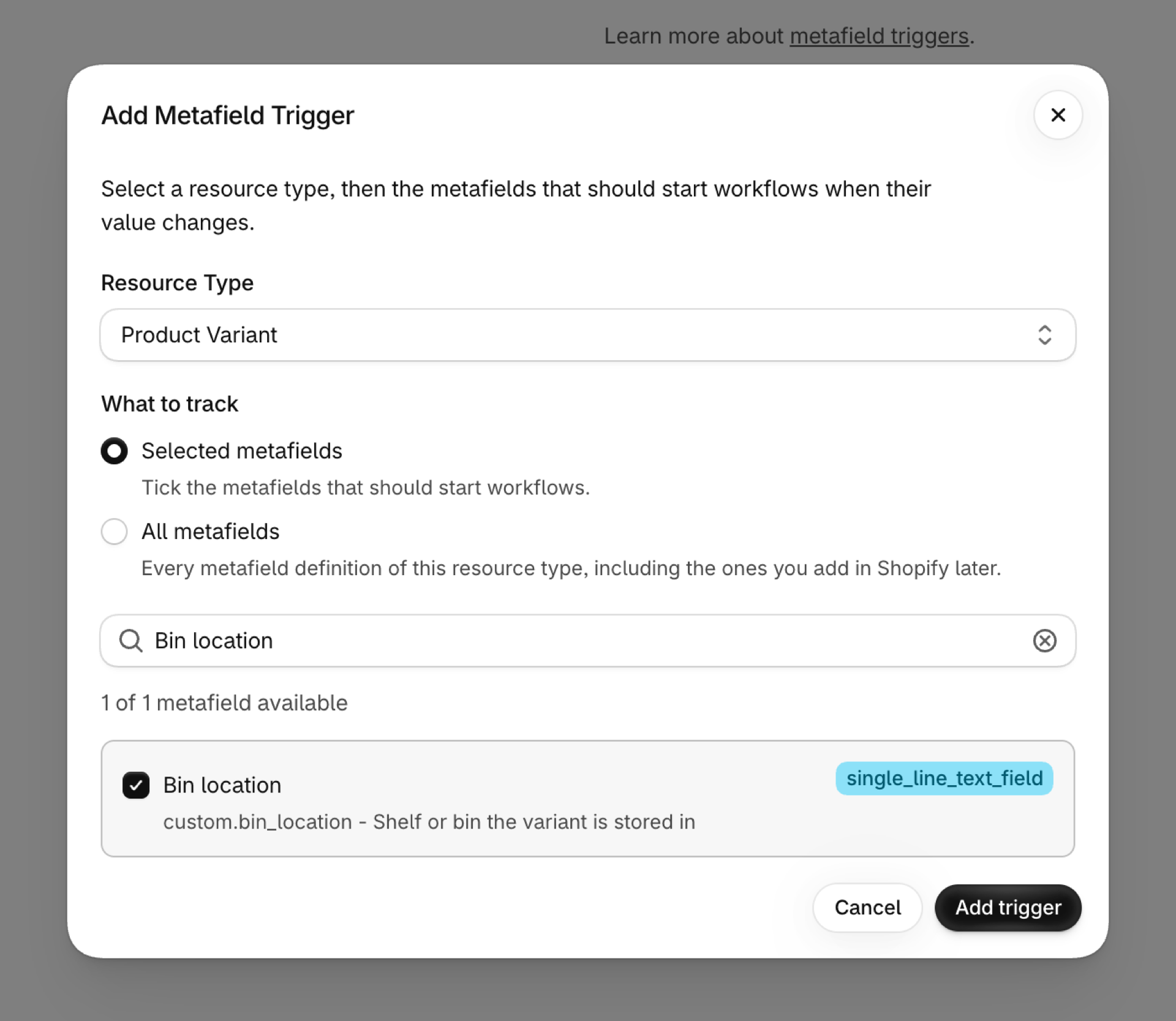
The new trigger shows Initializing while the app reads the current value of the metafield on your existing product variants, then Active. That first reading is why the very first change already arrives with the right previous value.
If the metafield is missing from the list, click Refresh Metafields on the Metafield Triggers page: the app remembers the list of definitions for an hour.
2. What the workflow receives
Every change starts the trigger Metafield Update in Shopify Flow with these values:
| Variable | Value |
|---|---|
resourceType |
PRODUCTVARIANT |
resourceId |
The ID of the product variant, for example gid://shopify/ProductVariant/1234567890 |
metafieldKey |
Namespace and key, here custom.bin_location |
metafield.value |
The new value |
metafield.previousValue |
The value before the change, empty when the metafield was set for the first time |
metafield.type |
The type of the metafield, for example single_line_text_field |
Product Variant Metafield Update is a second trigger for the same change. It starts in addition to Metafield Update and carries the parent product as a native Flow reference. Both share one event, so using both does not count twice. Switch it on from the app's Triggers page, or turn on a workflow that uses it.
3. Build the workflow
- In Shopify Flow, create a workflow and choose the trigger Metafield Update of Workflow Trigger Extensions.
- Add a Condition:
resourceTypeis equal toPRODUCTVARIANT. Metafield Update starts for every resource type you track, so the condition keeps this workflow to product variants. When you track several metafields of the type, addmetafieldKeyis equal tocustom.bin_locationas a second criterion. - Add the action you need. The example sends an internal email with the old and the new value.
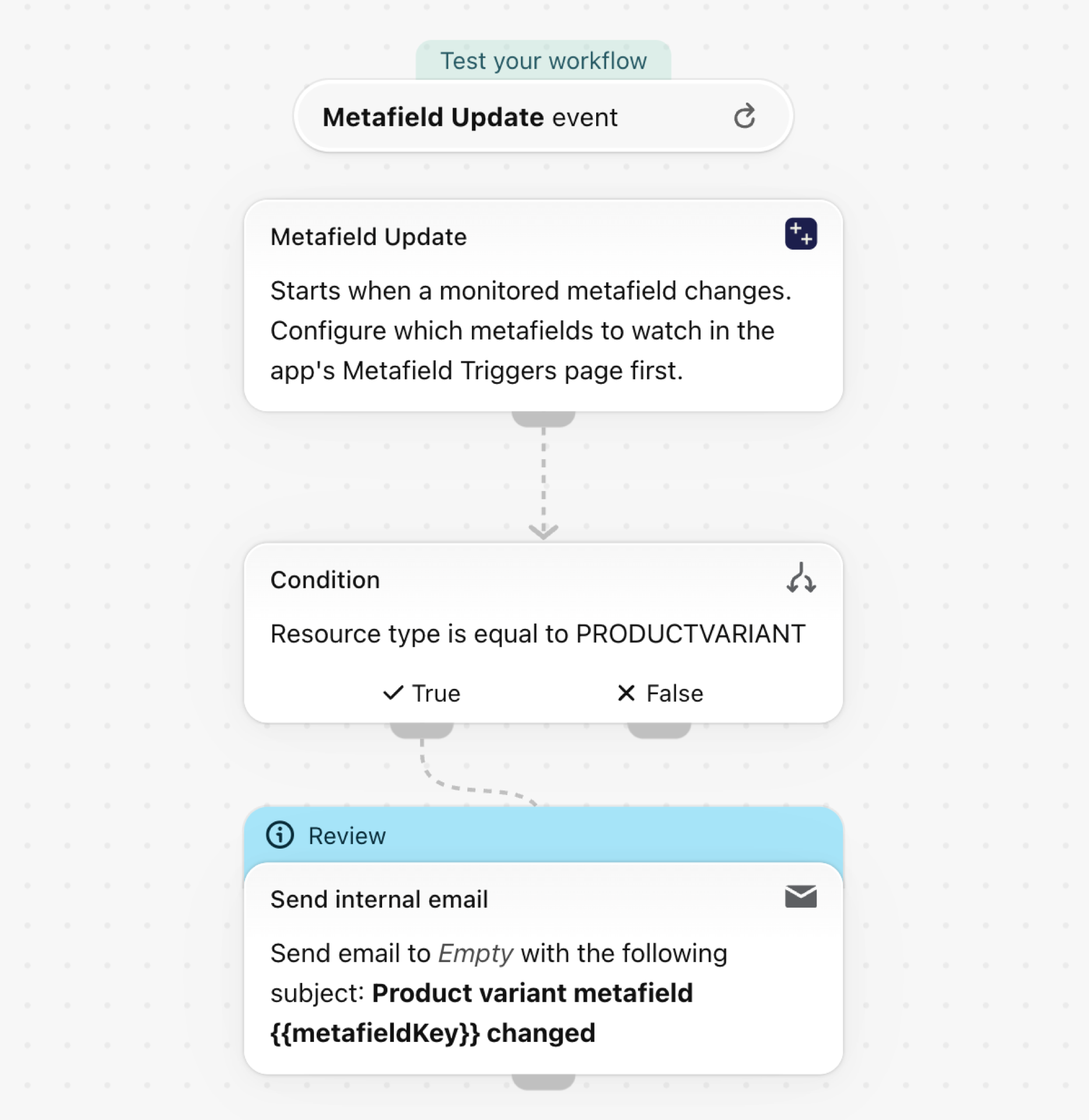
Start from the example
- Download the
.flowfile attached at the bottom of this page. - In your Shopify admin open Flow, click Import and choose the file.
- Open the Send internal email step and enter the recipient. The file holds no address on purpose.
- Turn the workflow on.
Make it yours
- Send the new bin location to your warehouse system with Send HTTP request.
- Use Product Variant Metafield Update when the workflow should tag or update the parent product.
- Add a condition on
metafieldKeywhen you track several variant metafields and want one workflow per metafield.
How fast it reacts
Shopify sends no notification when a variant metafield changes, so the app checks your catalogue about once a minute and reads only the variants that changed. Expect the workflow within a few minutes; the very first check of a large catalogue takes longer.
Good to know
- A variant metafield does not start Product Metafield Update: that trigger is for metafields on the product itself.
More
- Metafield triggers: how metafield triggers work, for every resource type.
- Event history and troubleshooting: see every event the app sent, with the old and the new value.