
Monitoring
Monitors in Workflow Trigger Extensions email you when a trigger goes quiet, keeps failing, or its Shopify Flow workflow stops confirming its runs.
A monitor watches one trigger and emails you when something stops working: the trigger goes quiet, its events keep failing, or the workflow behind it stops confirming its runs. Monitors are checked every few minutes and alert once per incident. The alert goes to the recipients of your notification settings.
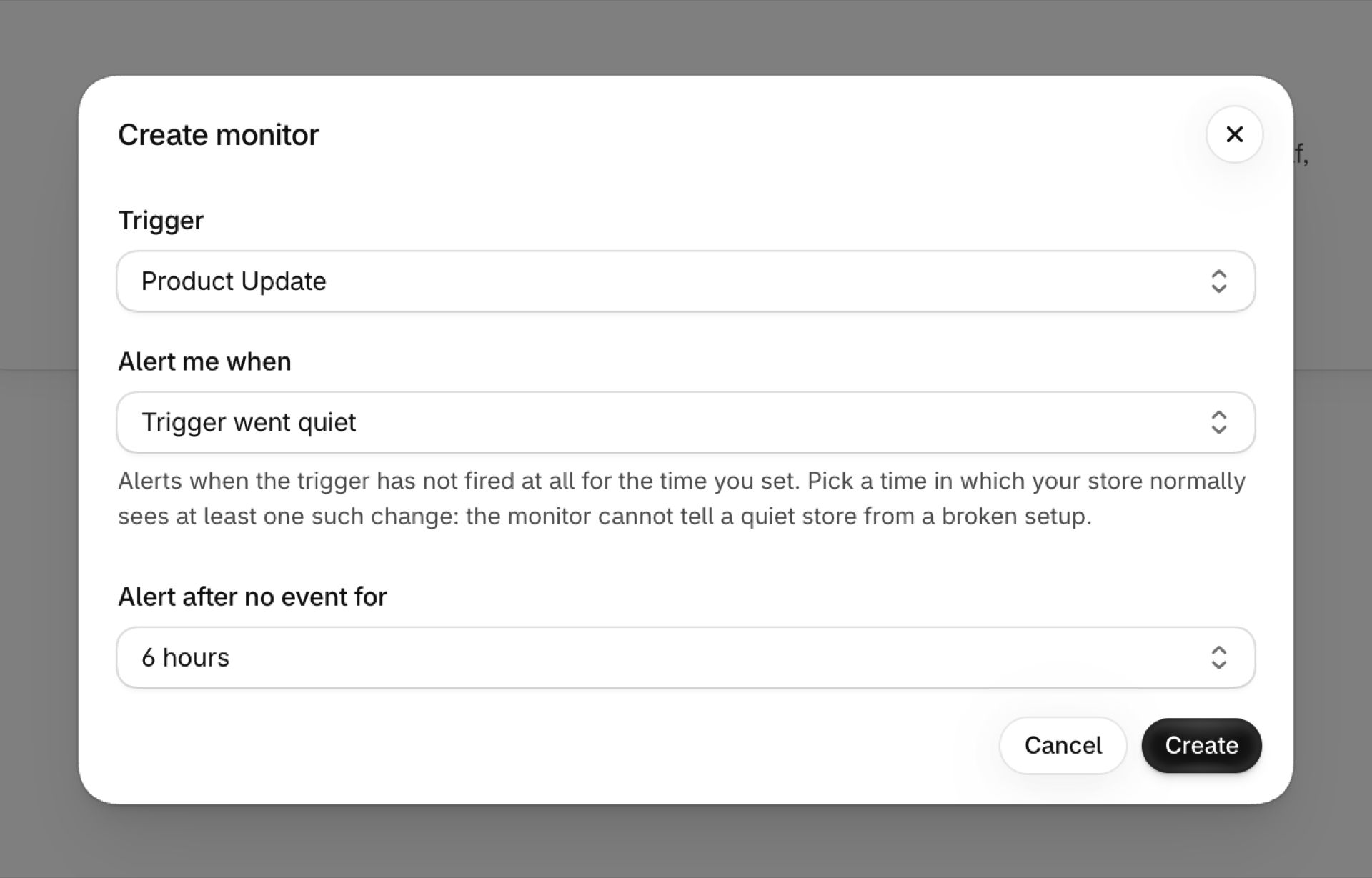
Create a monitor
- Open Monitoring in the app and click Create monitor.
- Choose the Trigger.
- Under Alert me when, choose what to watch for (see the table below) and the time span.
- For the two kinds that count events, enter Alert at this many events (1 to 1000).
- Click Create. The monitor appears in the list with its status and its last result.
You can have up to 25 monitors.
What a monitor can watch for
| Alert me when | It alerts when | Time span |
|---|---|---|
| Trigger went quiet | The trigger has not fired at all for the time you set | 1 hour to 7 days |
| Workflow did not confirm its run | Events reached Shopify Flow but your workflow did not report back in time | 5 minutes to 7 days |
| Trigger keeps failing | Events of this trigger fail for a reason you can act on, such as a missing permission. Short Shopify outages are not counted | 15 minutes to 7 days |
For Trigger went quiet, pick a time in which your store normally sees at least one such change. The monitor cannot tell a quiet store from a broken setup.
Status of a monitor
| Status | Meaning |
|---|---|
| Waiting for first check | The monitor is new and has not been checked yet |
| Healthy | Nothing to report at the last check |
| Alert since (date) | The condition is met. You got one email when it started |
| Paused | You paused the monitor. It does not alert until you click Resume |
Pause, Resume and delete are in the row of each monitor.
Related
- Event history and troubleshooting - every event with its status and delivery error.
- Plan alerts: know before you reach your limit - the notification settings and their recipients.